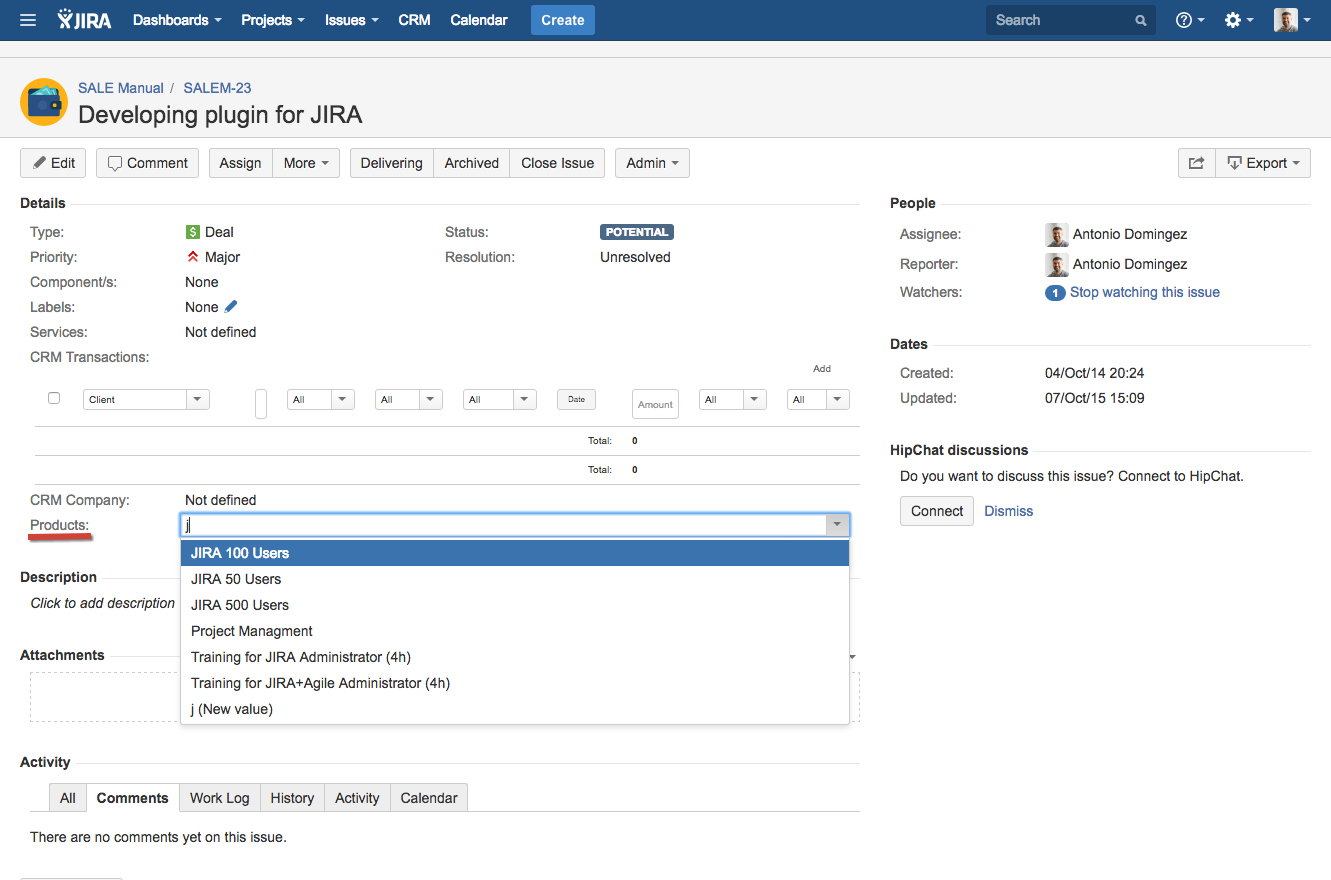
Custom field CRM Products Select allows to add one or more products from CRM Products Directory to Issue screens and to Service Desk Custom Portal. CRM Single Product Select field is the same but only one product can be selected.
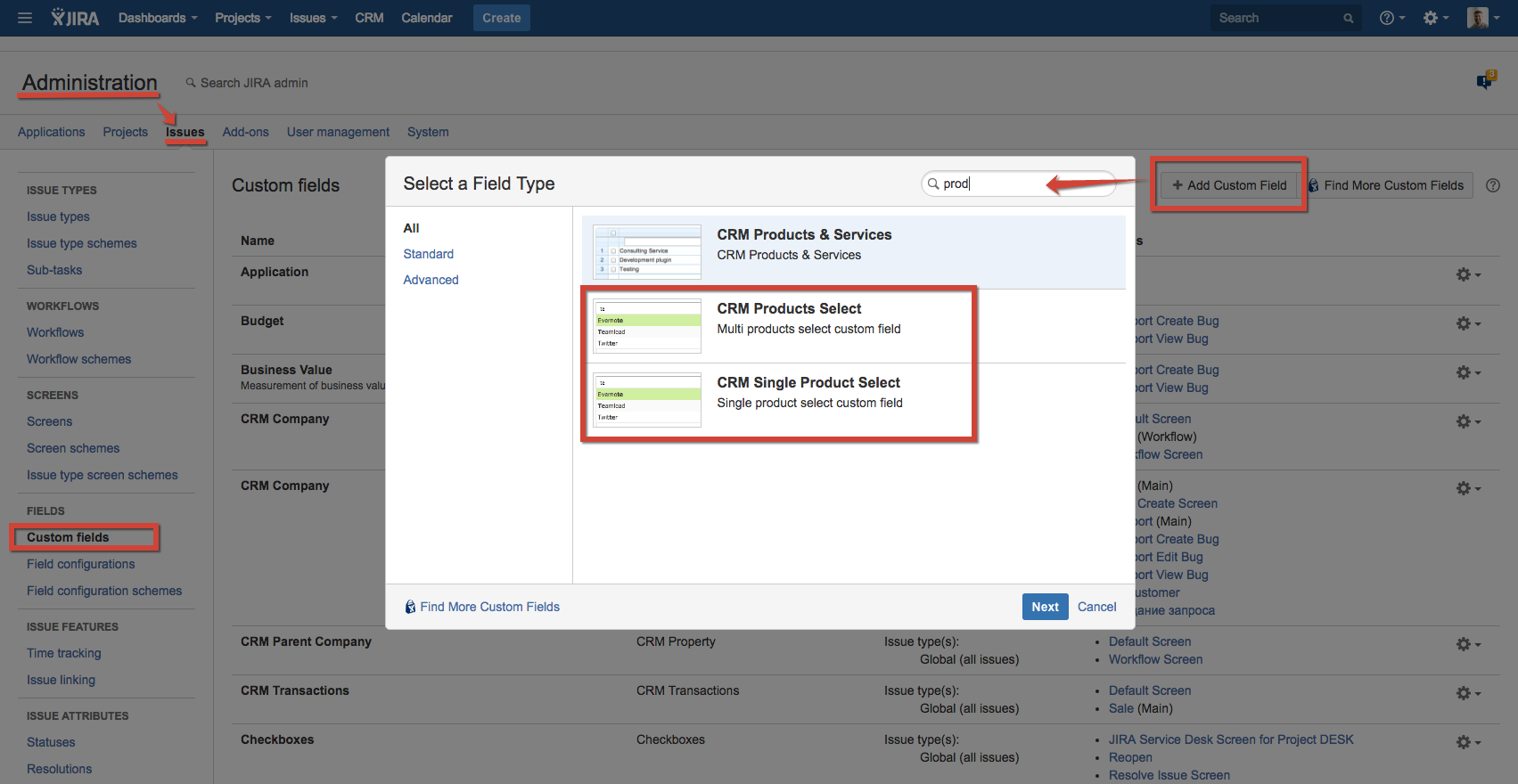
Create new custom field:
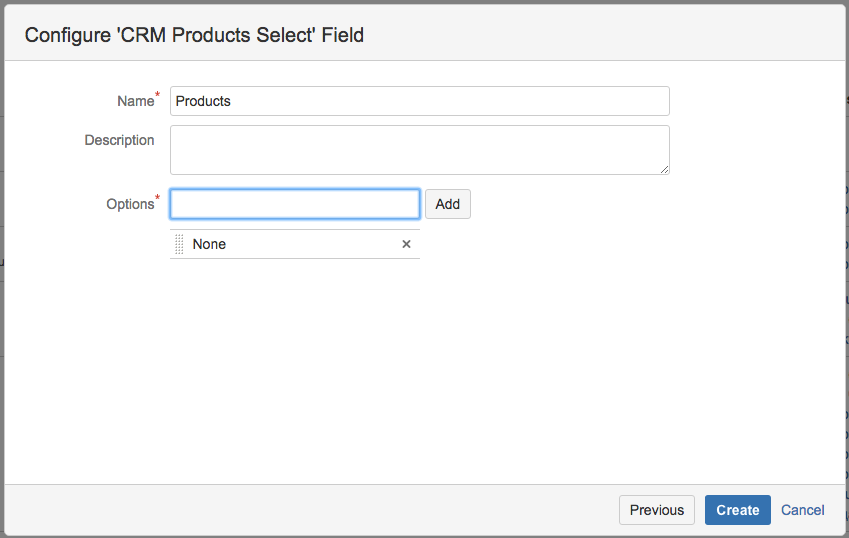
Name your custom field and create at least 1 option (if the field is present and required) to proceed:
Next step is to add new field to screens you need and then press "Configure" field after creation.
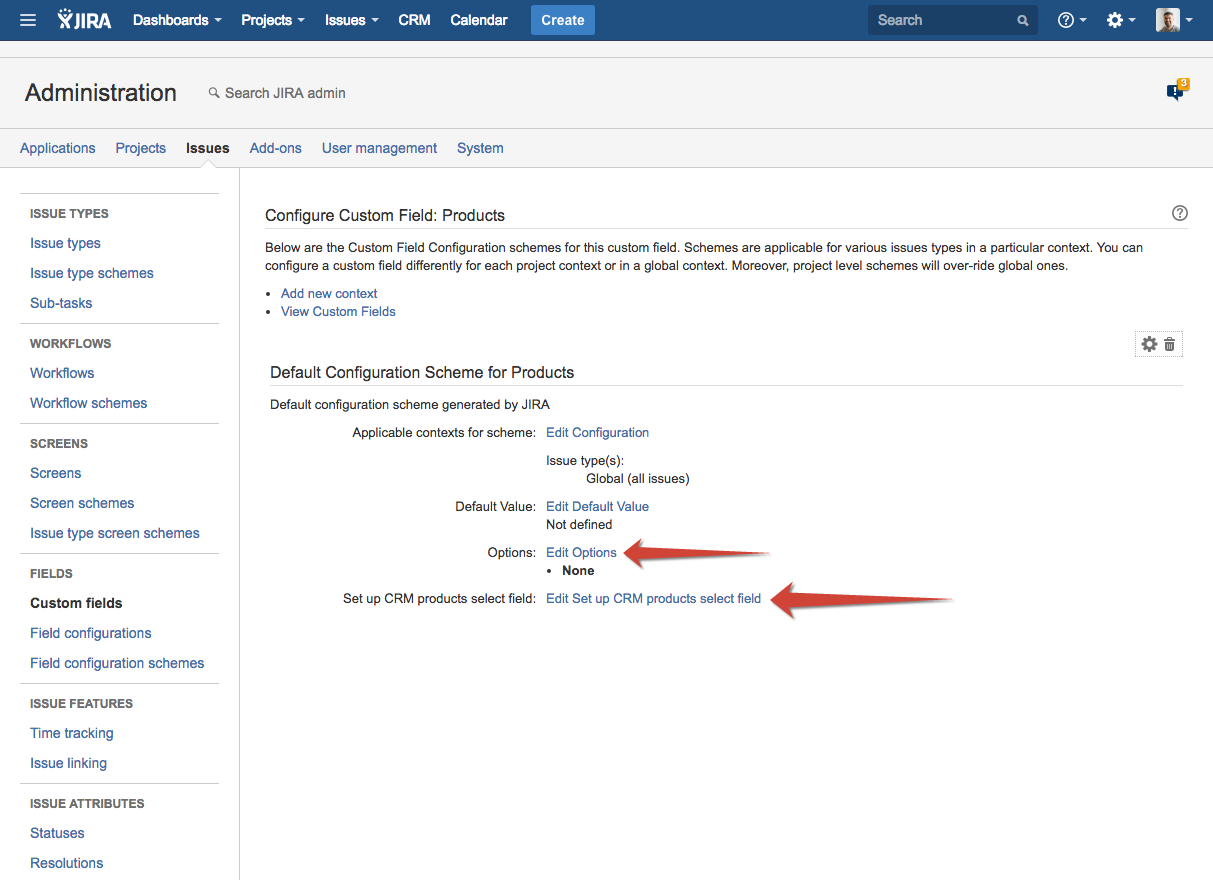
Products list (Options) can be created 2 ways:
-
manually - Edit Options
-
automatically by importing all values from CRM Products Directory - Edit Set up CRM products select field
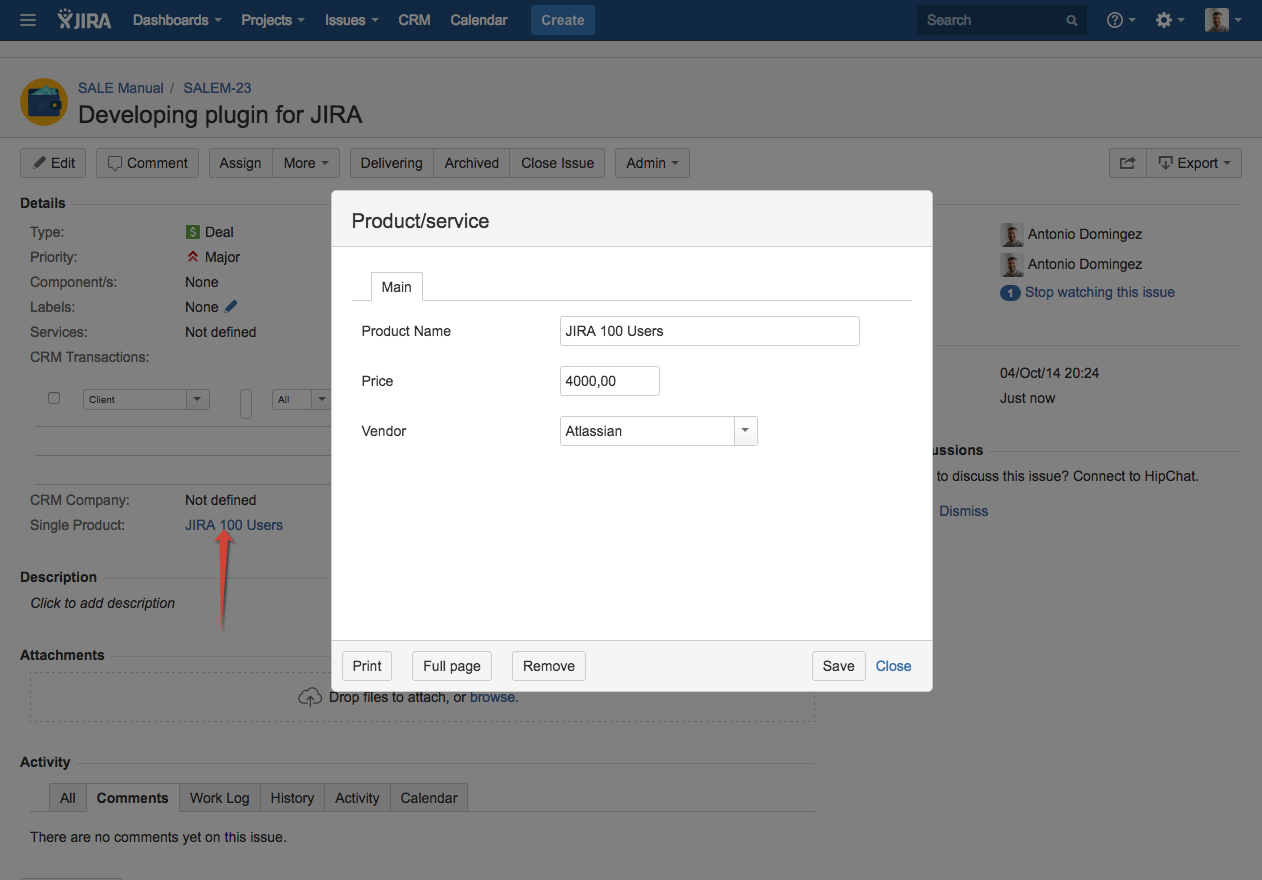
By clicking on Product name in Issue screen the Product card opens (if user has rights to Browse products) with ability to change data right in Products Directory (if user has rights to Edit Products):