
To add companies from Custom Company Directories to the issue use CRM Custom Company field type.
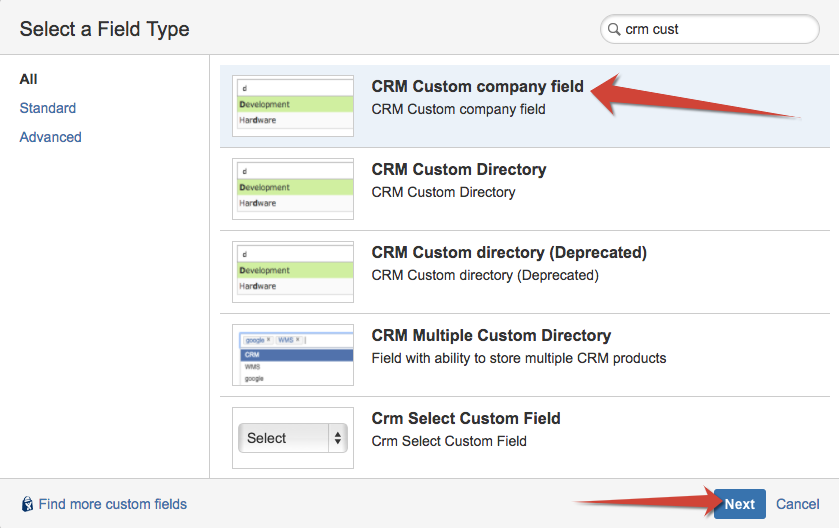
Add the field to the screens you need and then proceed with field's configuration (Field's Cog button / Configuration):
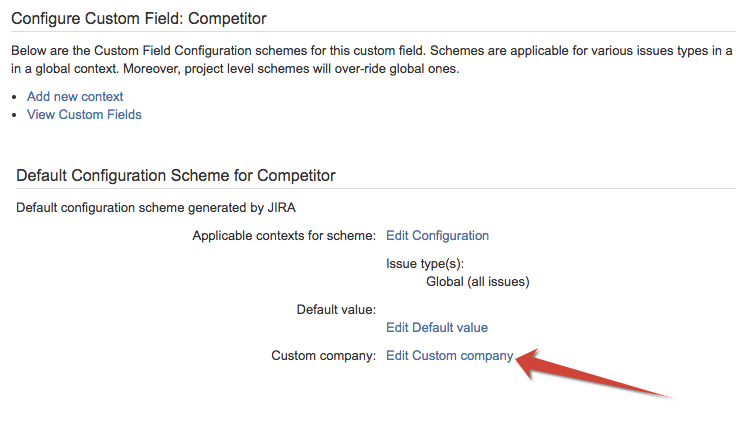
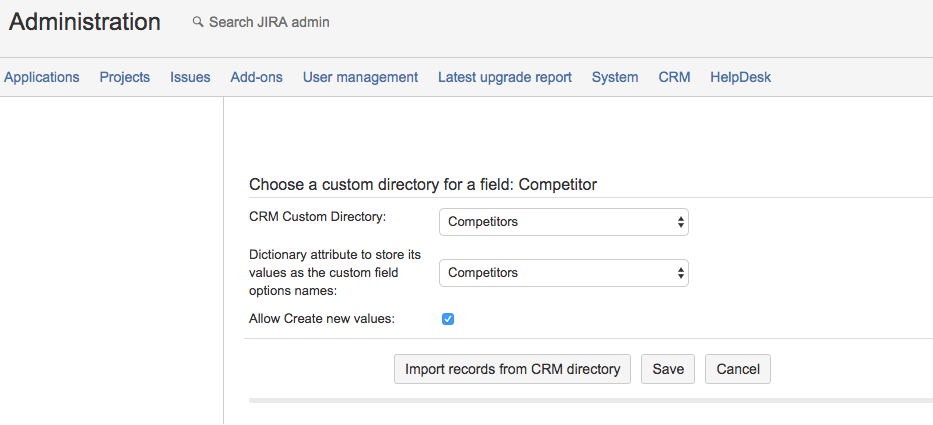
Click on "Edit Custom company" and in opened dialog link the field to the custom company directory:
|
Setting |
Description |
|---|---|
|
CRM Custom Directory |
Select a custom directory from dropdown list of Custom Company Directories created in CRM Administration menu / Custom Company Directories |
|
Dictionary attribute to store it's values as the custom field options names |
Select an attribute from dropdown list of existing attributes of custom company directory selected above. This attribute name will be output in the issue's field. |
|
Allow create new values |
When checked new records can be created right from the field while issue creation/ edit. 
|
Import records from CRM directory then save the settings.