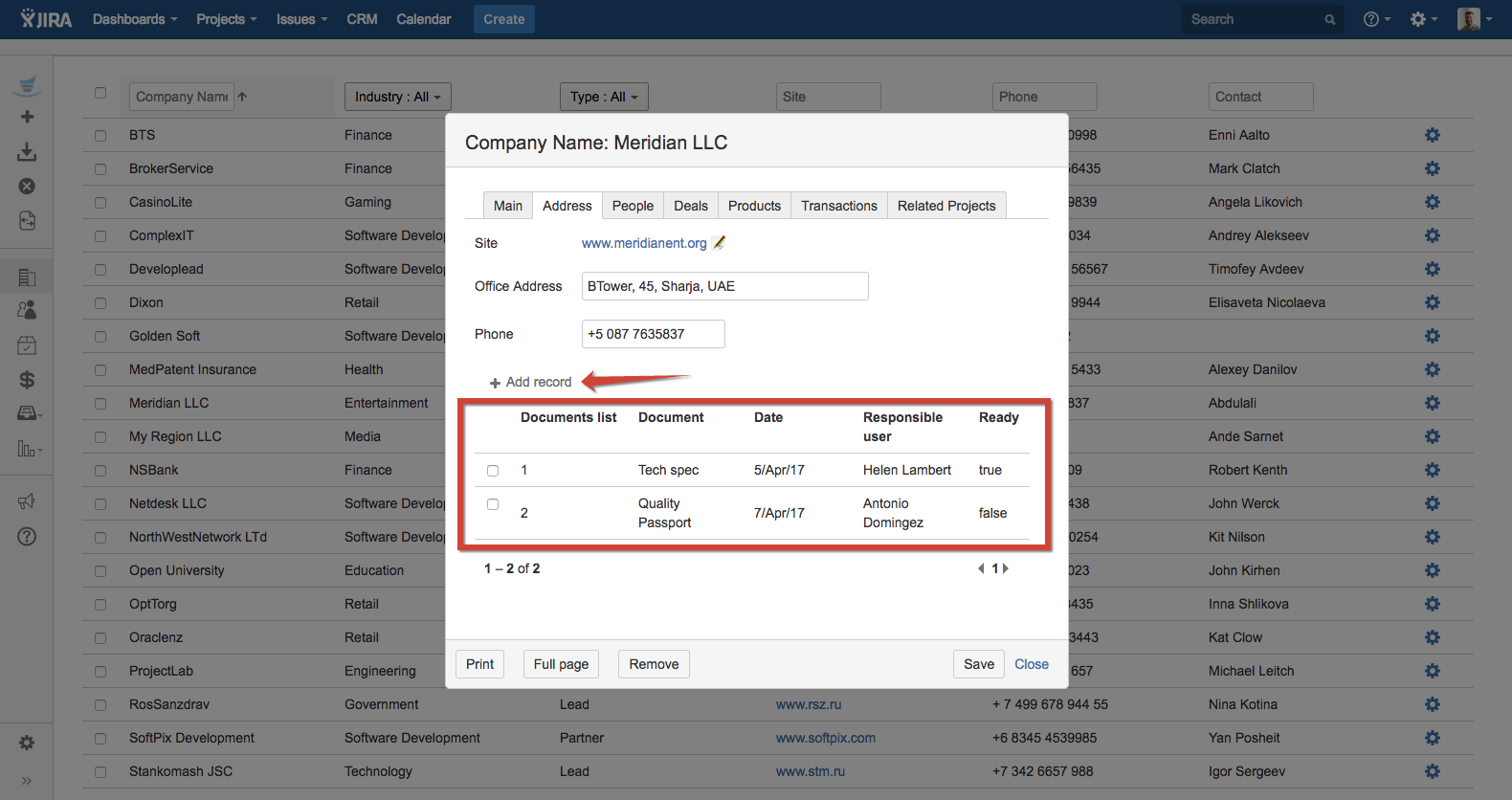
The feature allows to add a table to Company/Contact card:
You can create several table types to use them into different places. Table types are created in CRM administrator menu / Table lists.
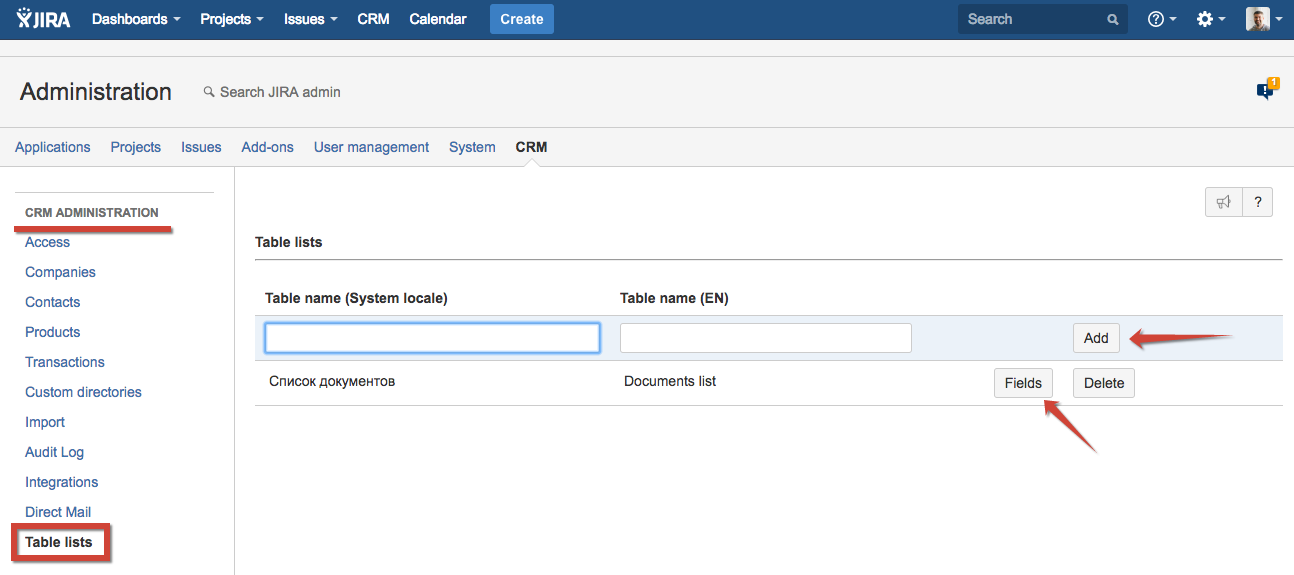
Create table type name on your local language and English and click "Add". To configure table fields click on "Fields" button.
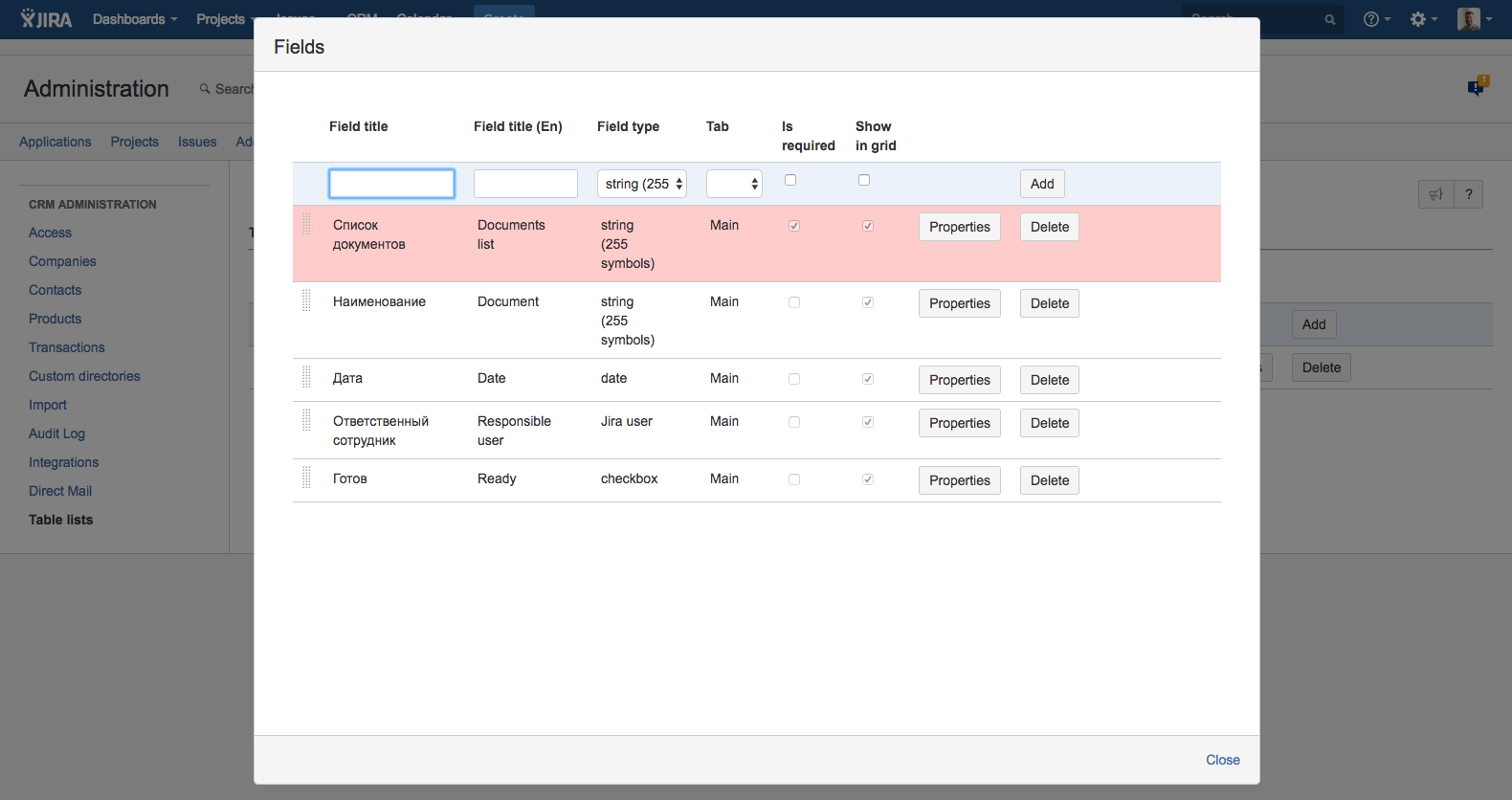
To learn about field types please refer to Directory Attribute Types and Properties. Please don't forget to select 'Main' tab.
Then go to Companies or Contacts sub-menu and add new attribute 'Table list' and select a table type from the list of tables you've created in Table lists sub-menu.
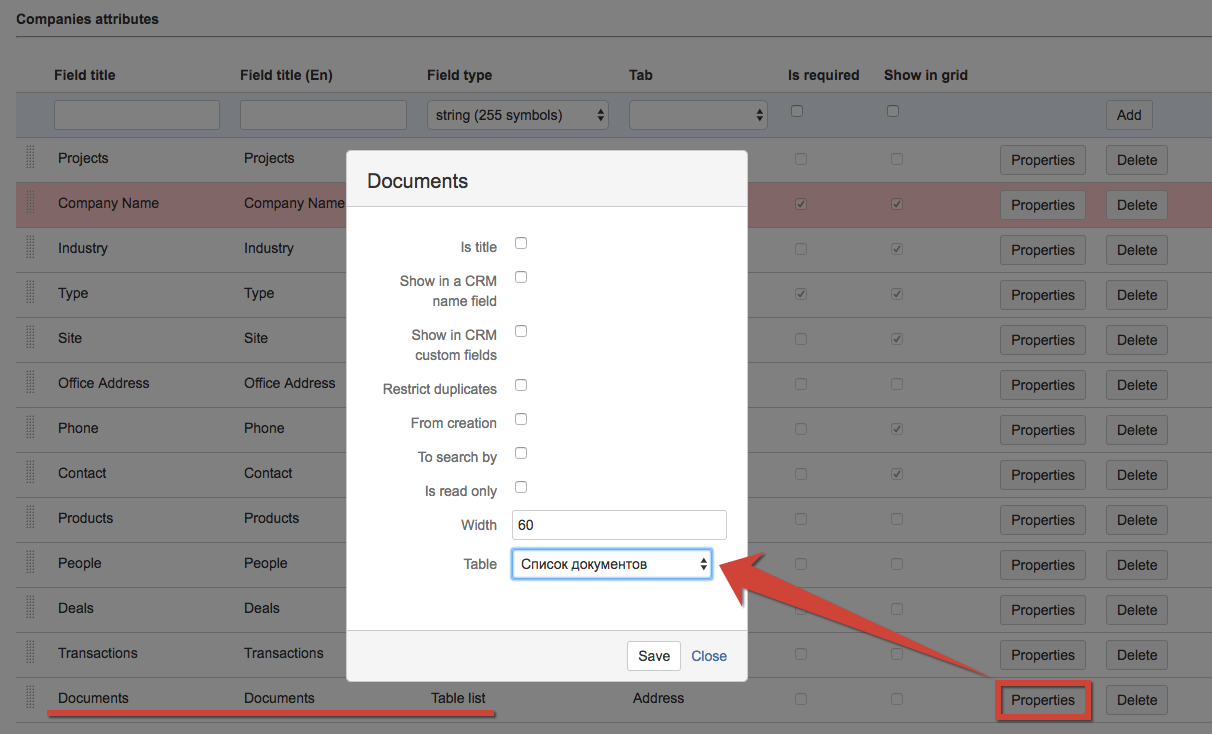
Please note:
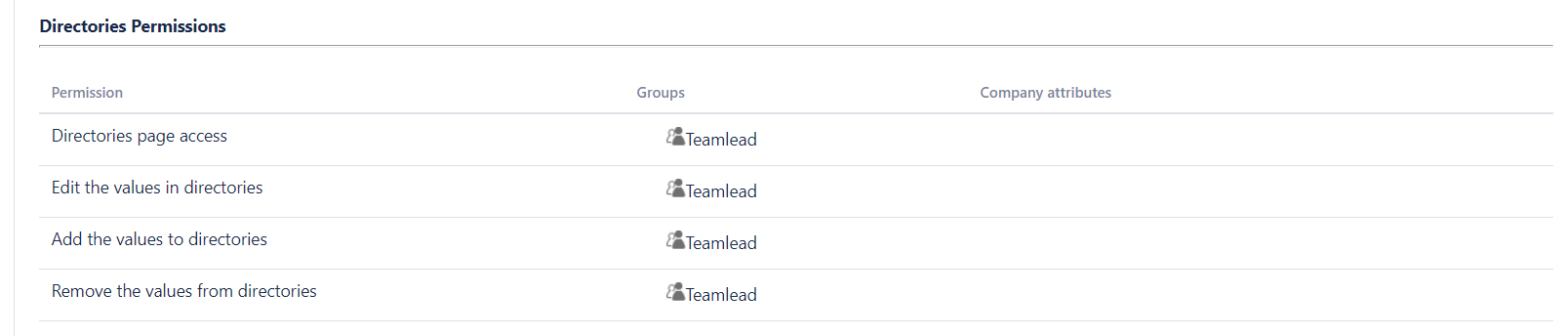
That you have to grant required permissions in Directories Permissions section of Access in CRM administration in case to be able to add and edit values in table lists.