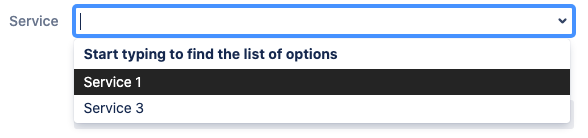
If your goal is to allow a user to select only the values related to them or to their company (for example during the issue creating via the Service Desk portal), do the following:
-
Create a custom directory.
This directory will contain the full list of options. Let us say we have the list of Services. Fill the directory with options.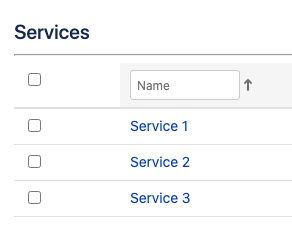
-
Create an attribute to link options to a Company.
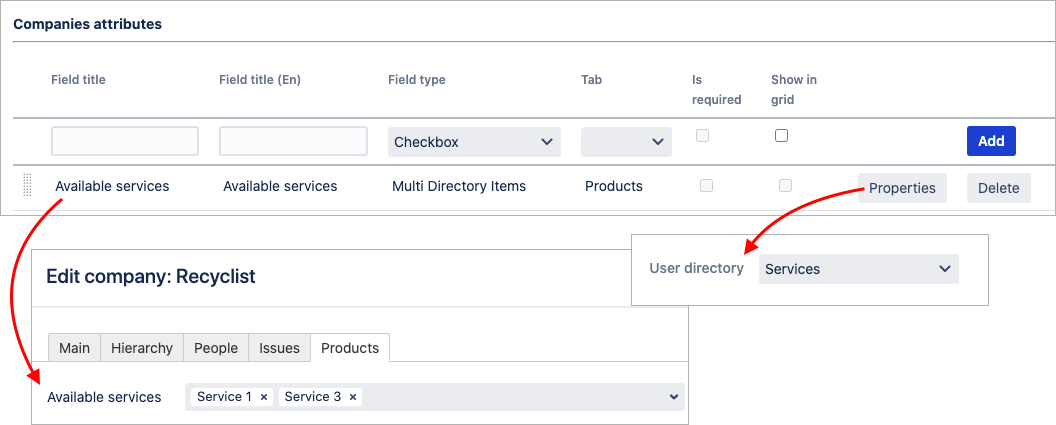
Add the Multi directory entries attribute to the Company template and specify the target directory for it (via the attribute properties). Fill it out for a Company.
There are only 2 services of 3 are available for the Recyclist company on the example below>
-
Create a custom field to select from this directory.
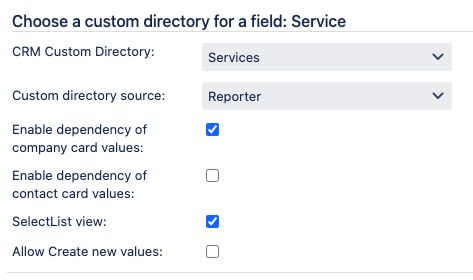
Create a CRM Custom Directory custom field and set it up:
-
Specify the target directory.
-
Specify the Reporter as a source and enable the dependency of Company card values.
That means the system will only display the options from a target directory that are related to a reporter's company.
-
Note that users-to-contact synchronization must be enabled to define the CRM Company by a reporter.
Since the issue creator is its initial reporter, CRM will recognize them and apply the relevant filter on the field options on the creation screen: