
Calculation mode defines how TeamTime processes data for the current space. It is configured at the Space level, which allows you to use different reporting logic within the same Jira instance.
Administer space permission required: To change the calculation mode, you must have Jira Space Administrator permissions for that specific space.
Navigating to calculation settings
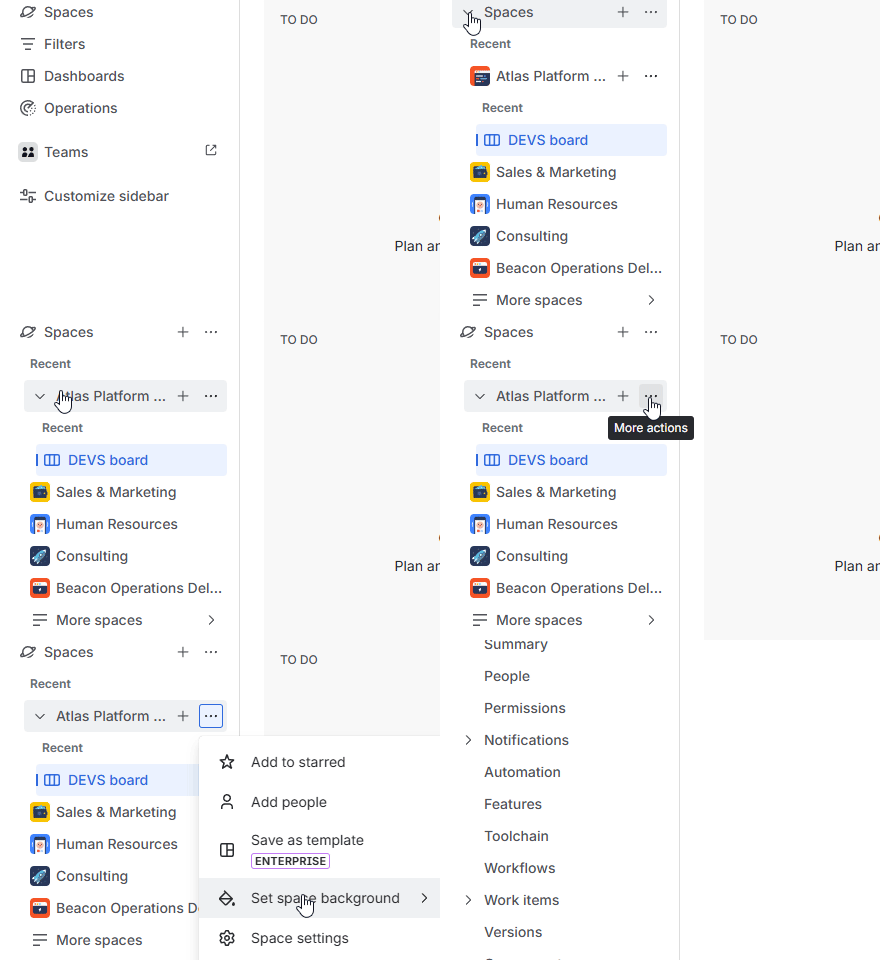
In the Jira sidebar on the left, locate the Spaces section, and open it.
Find space you wish to configure, and click the More actions (…) button next to the space name. Select Space settings from the menu.
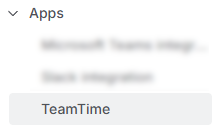
Once in space settings, look at the secondary sidebar on the left. Head to the bottom and click the Apps section, then select TeamTime from the list of connected apps.
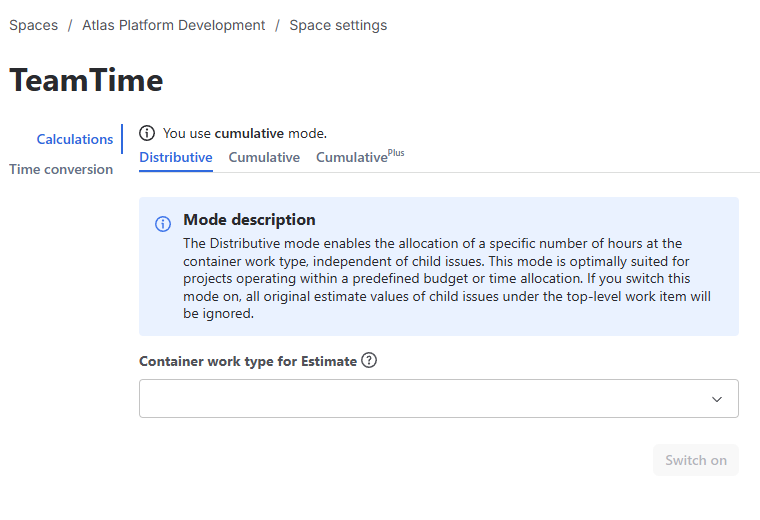
You will arrive at the Calculations page:
Choosing your mode
The Calculations page displays the mode currently active for the space. Below the status, you will see tabs for the available modes:
-
Cumulative Mode: Select this tab to aggregate all child work item worklogs and estimates up to the parent, with the parent included. This is the default setting for most projects.
-
Distributive Mode: Select this tab if you are managing a fixed pool of hours.
Requirement: In this mode, you must select a Container Work Type (e.g., Epic or Initiative, with different levels of hierarchy available in Plans, previously known as Advanced Roadmaps). This work item will hold the original budget, which all child items will draw from.
This step is required for distributive mode to work correctly: unlike previous versions of the app, where Epic was the highest level possible, Cloud version (from 2.0.0 and higher) can use any issue type of any level as a container.
-
CumulativePlus (Coming Soon!).
Activating a new mode
To change the current logic:
-
Select the tab for your desired calculation mode.
-
Click the Switch On button.
-
Confirm your choice in the pop-up window.
Important: Automatic Re-calculation. Once you confirm the switch, TeamTime will immediately re-calculate all estimates, time spent, and ratios for the entire space. Depending on the amount of work items in the current space, the process may take a significant amount of time.
Existing Reports: Switching the calculation mode will update all existing reports associated with this space to reflect the new logic. Ensure your team is aware of the change before proceeding.
Stay informed
Subscribe to get the latest updates and explore new product capabilities