This feature allows you to place as many Automatic Amount Custom fields as you need. First create Custom fields and add them to screens where you need them to be filled in automatically with transactions sums according to set conditions.
After that go to CRM Admin Menu/Transactions:
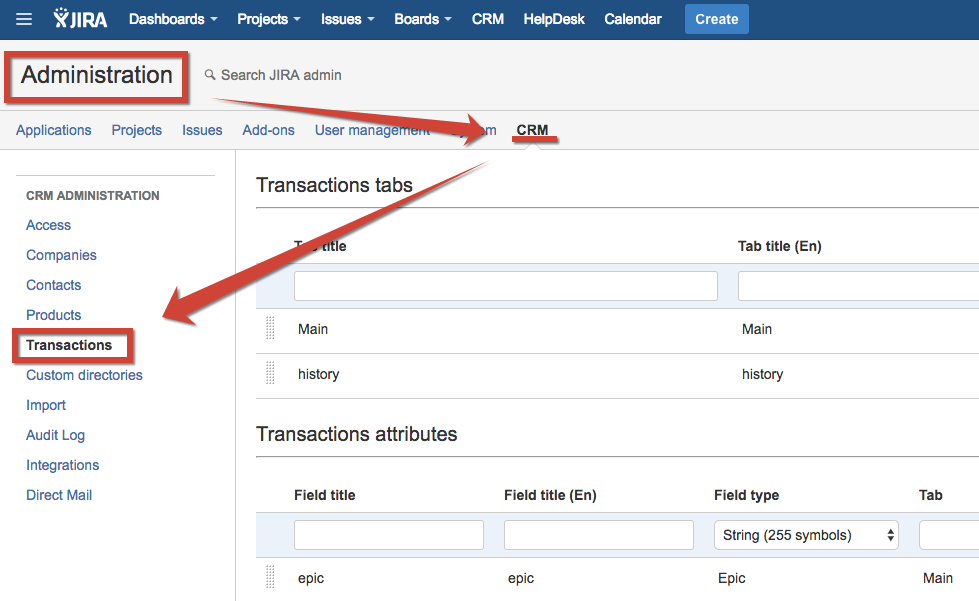
And find Transactions Total Issue Fields section:
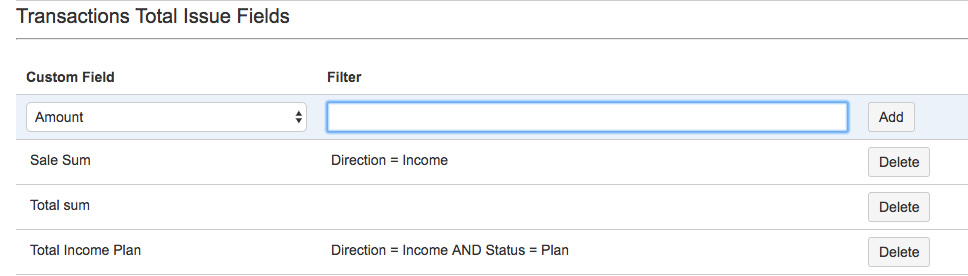
As conditions use formula: Transaction Attribute = Attribute Value
For example:
|
Condition |
Result |
|---|---|
|
Direction = Income |
Sum of all incoming transactions in issue |
|
Direction = Expense AND Status = Fact |
Sum of expenses with only 'Fact' status |
|
Empty |
Sum of all transactions in issue |
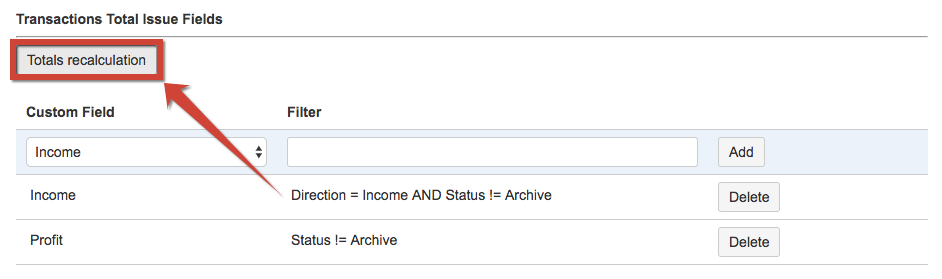
To recalculate Total issue fields use "Totals recalculation" button. The feature allows to recalculate all total fields in issues if there are some changes of formulas.
For example you as an administrator edit the filters and then click on "Totals recalculation".