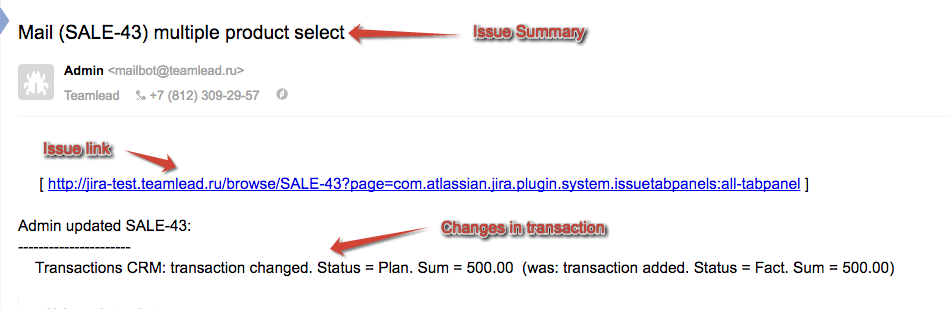
There are two ways to send notifications to users about Transactions creation, update or removal:
Send notifications to specific groups without Notification scheme adjusting
You can inform members of specific groups about any changes of transactions.
To set notifications go to CRM Administrator Menu/ Transactions Tab:
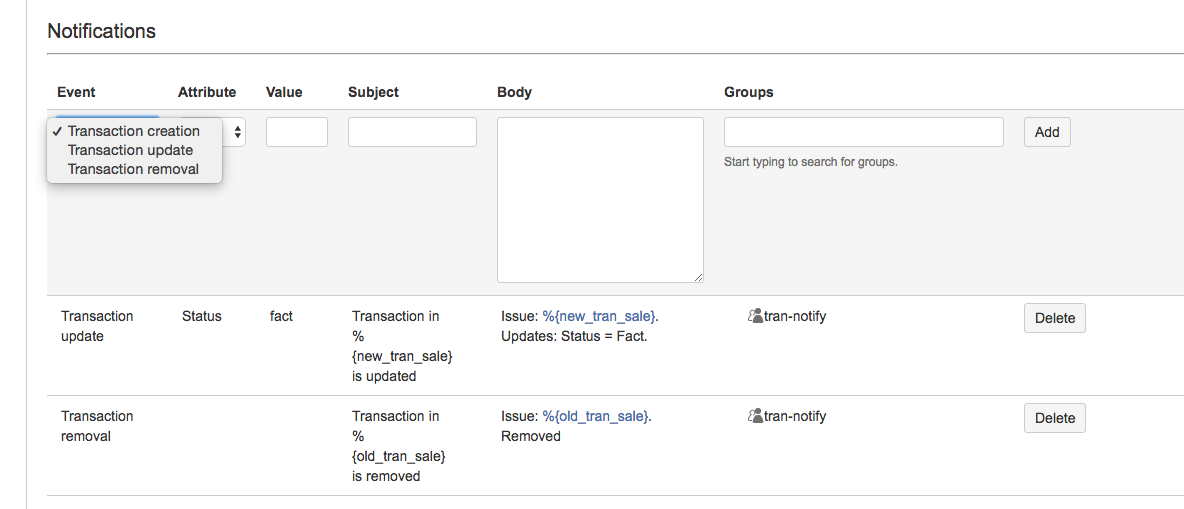
Examples:
|
Event |
Attribute |
Value |
Subject (Subject of letter) |
Body (Letter's text) |
|---|---|---|---|---|
|
Transaction creation |
- |
- |
Transaction in %{new_tran_sale} is created |
Issue: <a href="http://jira-test.teamlead.ru/browse/%{new_tran_sale}">%{new_tran_sale}</a>.<br/>
|
|
Transaction removal |
- |
- |
Transaction in %{old_tran_sale} is removed |
Issue: <a href="http://jira-test.teamlead.ru/browse/%{old_tran_sale}">%{old_tran_sale}</a>.<br/>
|
|
Transaction update |
Status |
Fact |
Transaction in %{new_tran_sale} is updated |
Issue: <a href="http://jira-test.teamlead.ru/browse/%{new_tran_sale}">%{new_tran_sale}</a>.<br/>
|
|
Transaction update |
Status |
Plan |
Transaction in %{new_tran_sale} is updated |
Issue: <a href="http://jira-test.teamlead.ru/browse/%{new_tran_sale}">%{new_tran_sale}</a>.<br/>
|
Links %{new_tran_sale} and %{old_tran_sale} result to show transaction's issue key.
Links %{new_tran_sale_summary} and %{old_tran_sale_summary} return the issue key and issue's summary.
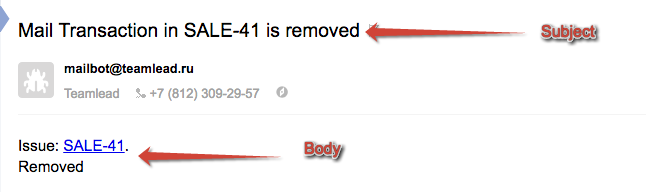
In this case you can manage how email's (notification's) subject and body will look like. For example:
Add Event to Notification scheme
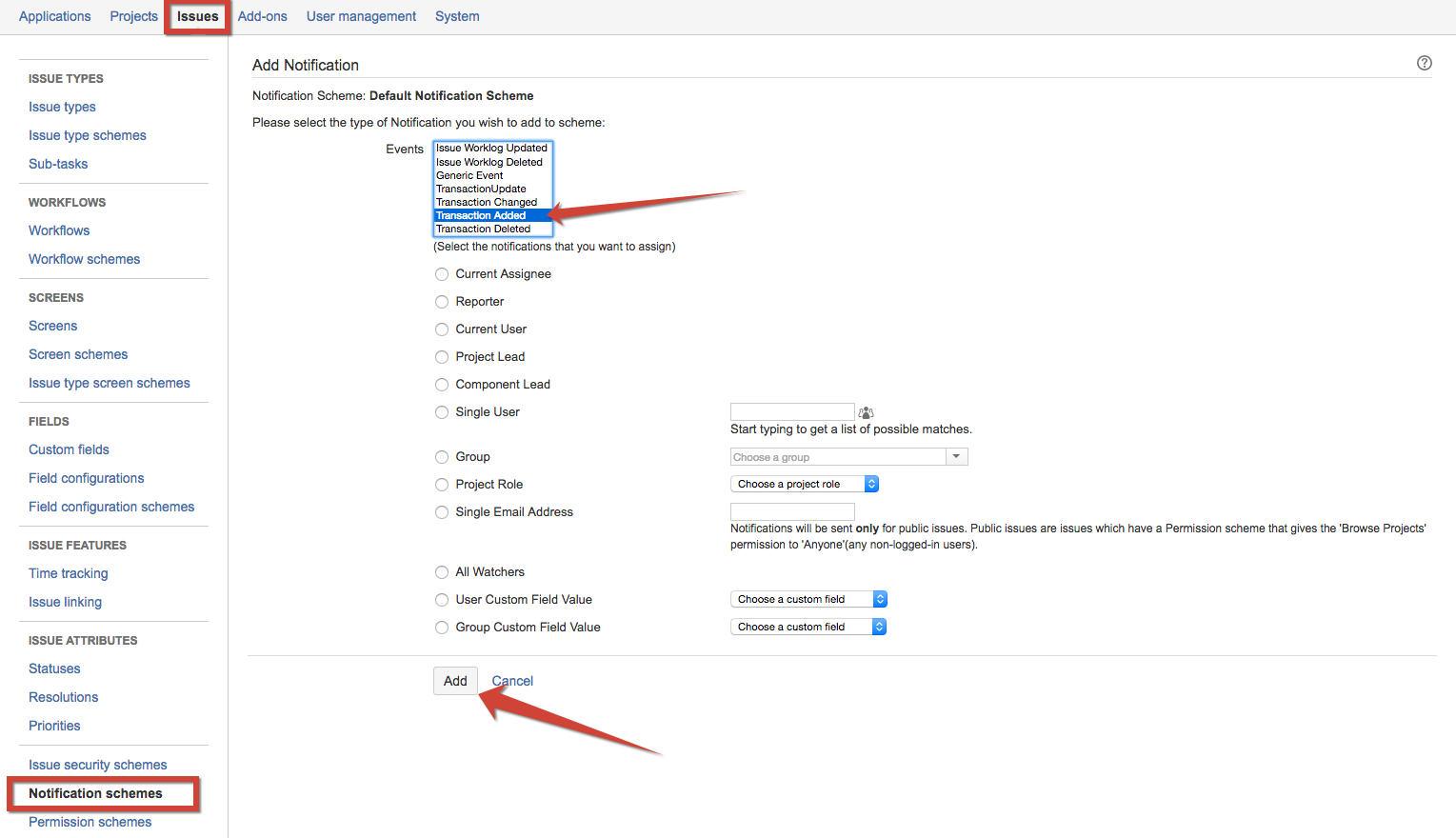
Go to Administrator menu/ Issues/ Notification Schemes, find in the table Transactions Events (Transaction Added, Transaction Changed, Transaction Deleted) and press 'Add' to add groups, roles or users to receive notifications about correspondent event.
In this case an email will have standard notification view: