
Use case description: A product manager or release manager needs to understand the total effort required to deliver a specific version or release.
This includes:
-
all work items assigned to the version
-
the full hierarchy behind those issues
-
total estimates, time spent, and remaining work.
In Jira, versions group work items together, but do not provide a complete view of effort across their hierarchies.
Calculation mode: Cumulative only.
Current Jira setup
Jira provides basic version tracking, but effort visibility is limited:
-
Version view: Shows a list of work items, without hierarchy context
-
Progress indicators: Based on work item completion, not actual effort
-
Flat structure: Does not reflect parent-child relationships
-
No aggregated effort view: Total estimates and time spent are not clearly calculated across all related work.
As a result, understanding the true cost and progress of a release requires manual analysis.
What TeamTime provides
TeamTime allows you to analyze a version as a complete effort scope:
-
Select a version as the report basis
-
Automatically include all issues assigned to the version
-
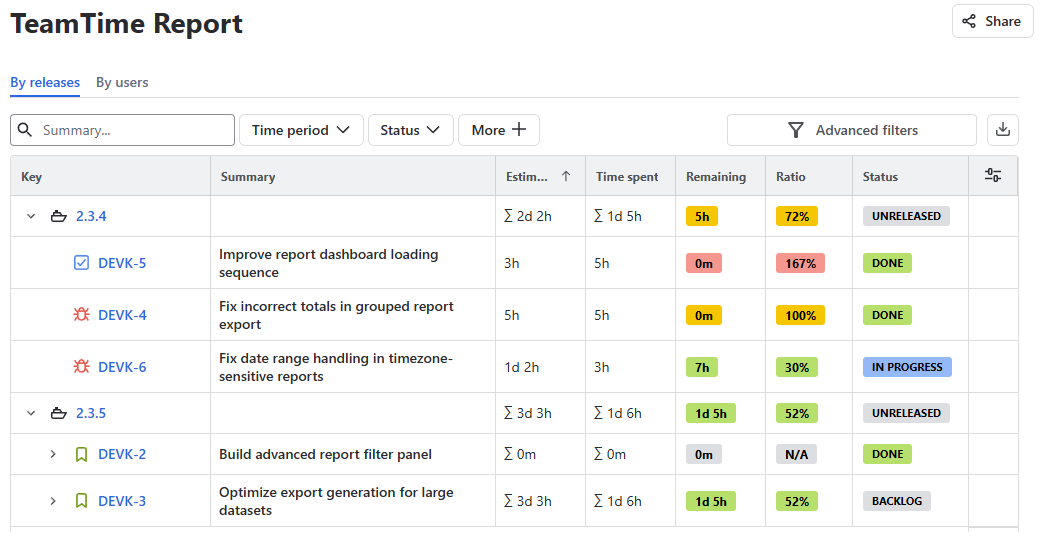
Aggregate estimates and logged time across full hierarchies
-
View remaining work and progress ratios
-
Analyze the release in a structured, hierarchical report.
How it works
-
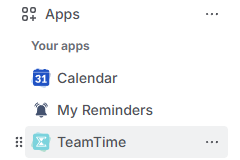
Open the TeamTime global reports page:
-
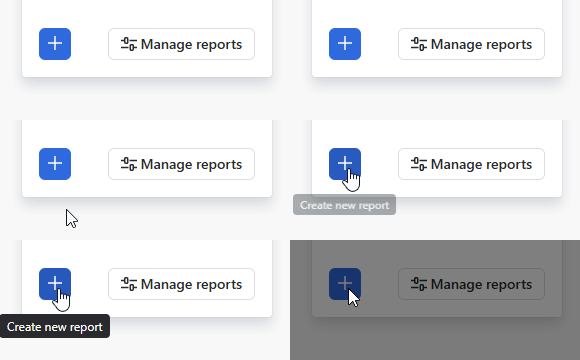
In the right side of your screen, click Create new report button:
-
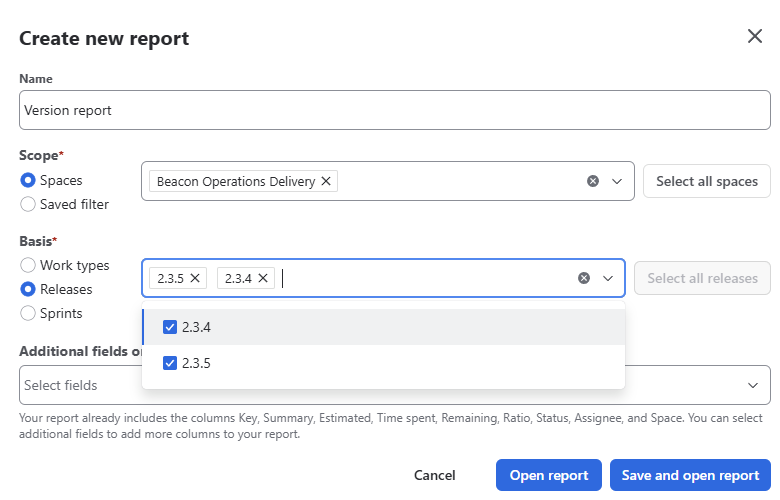
Choose the version you want to analyze as the basis of your report:
-
Save and open the report:

TeamTime automatically builds a report including all version issues and their related hierarchies:
Result
Product and release managers can:
-
Understand the total effort required to deliver a release
-
Track progress based on actual work, not just issue completion
-
Identify risks or delays earlier through effort visibility.
Stay informed
Subscribe to get the latest updates and explore new product capabilities