
HelpDesk invitation overview
You can allow the helpdesk-users to invite their colleagues to the particular HelpDesk issue by sending them a customizable email right from the issue.
Note that the invitee cannot be able to access the issue unless they don't have relevant rights. Check the Customer Permissions.
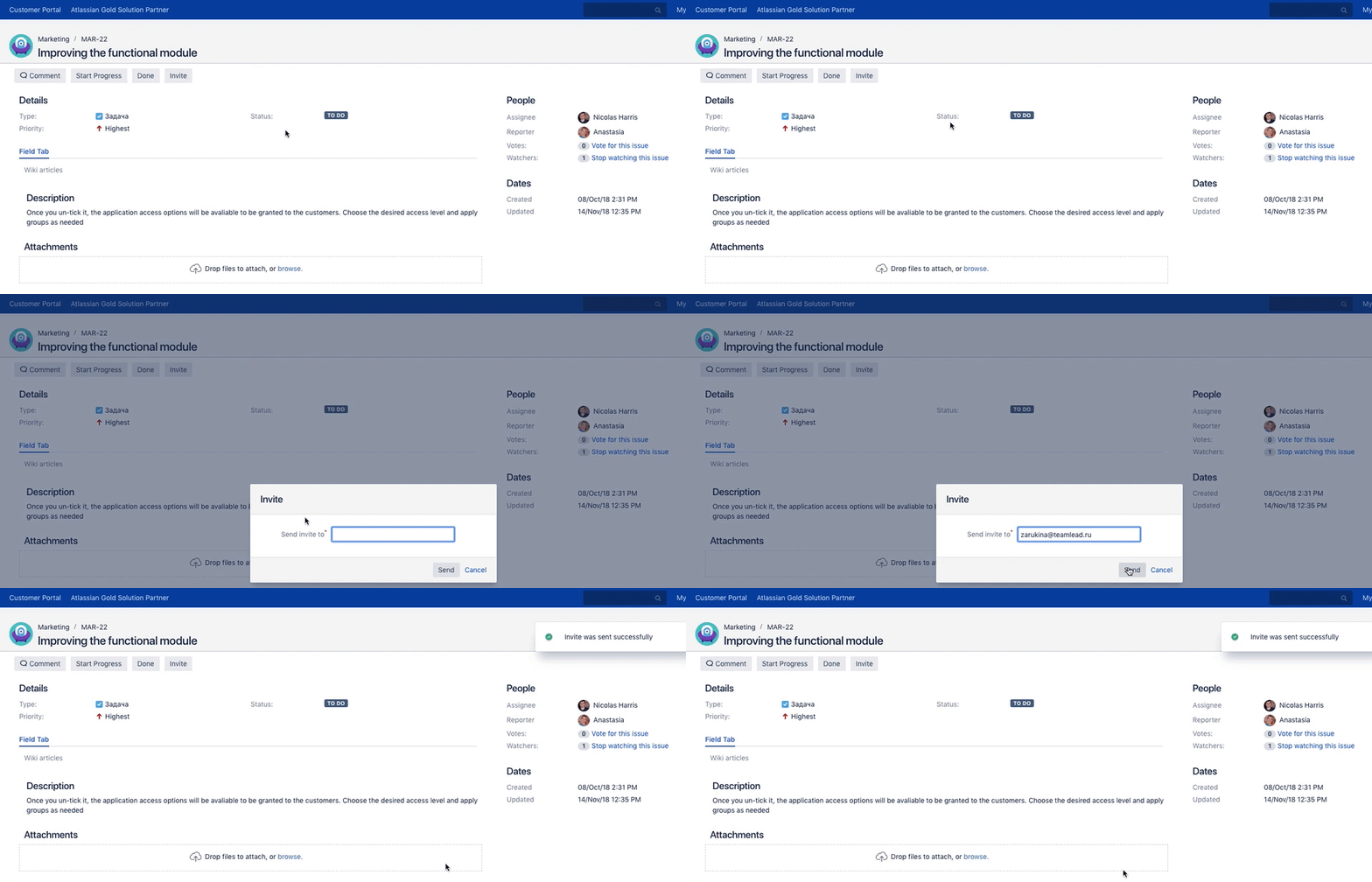
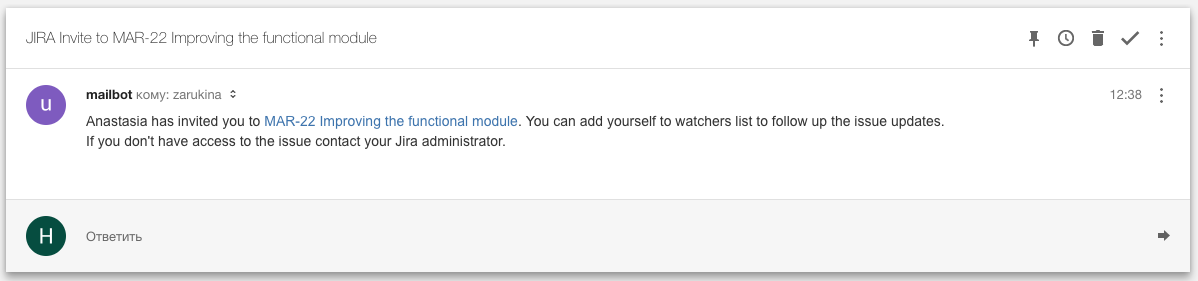
HelpDesk invitation letter setup
The Invite button is available to users with the View Invite button permission
To set the invitation email text, navigate to JIRA Administration → Helpdesk → Notifications → Invite and specify:

-
Default language subject
-
English language subject
-
Default language email body
-
English language email body
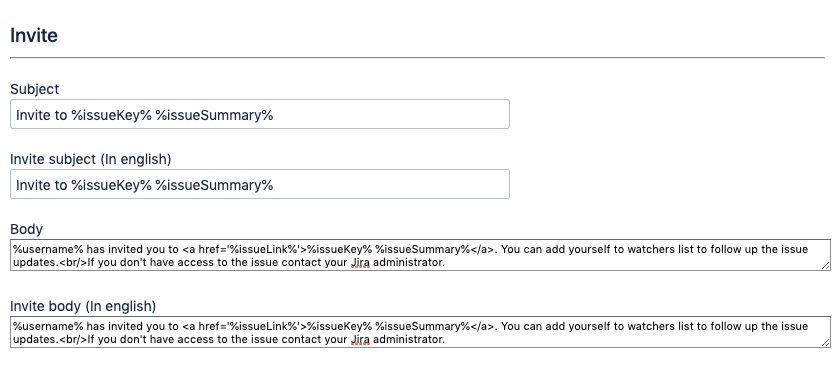
Text format is the same as the standard Jira notification format and may include:
-
HTML-formatted text (see Customizing Email Content, Atlassian documentation)
-
system or custom fields (see Adding Custom Fields to Email, Atlassian documentation)
-
the following variables:
-
%username% – full name of the user who sent the invitation.
-
%issueLink% – the link to an issue this notification relates to.
-
%issueKey% – the issue key of an issue this notification relates to.
-
%issueSummary% – the issue summary of an issue this notification relates to.
-
Add invitees to the issue field
These settings allow you to add the invited users to the particular User Picker (Multiple Users) issue field. It might be useful if:
-
you'd like to see who has been invited
-
you want to automatically grant them access to the issue (in this case just ensure the current issue security level consider this user-picker field)
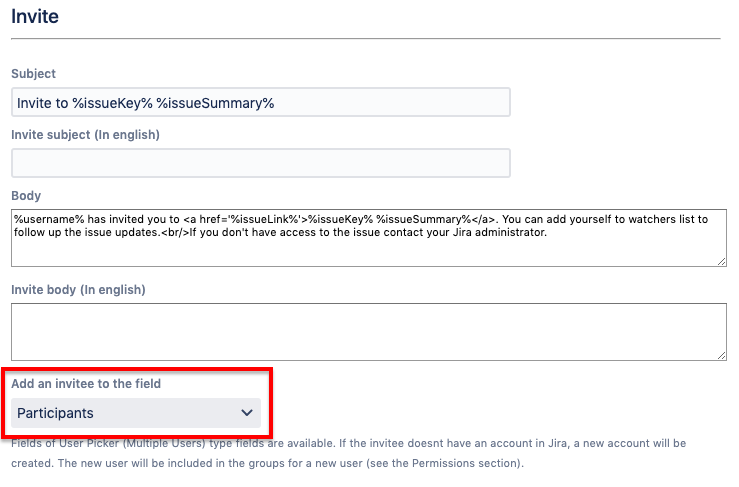
Note that if this field is selected and the invitee doesn't have an account in Jira, a new account will be created. The new user will be included in the groups for a new user (see the Permissions section).