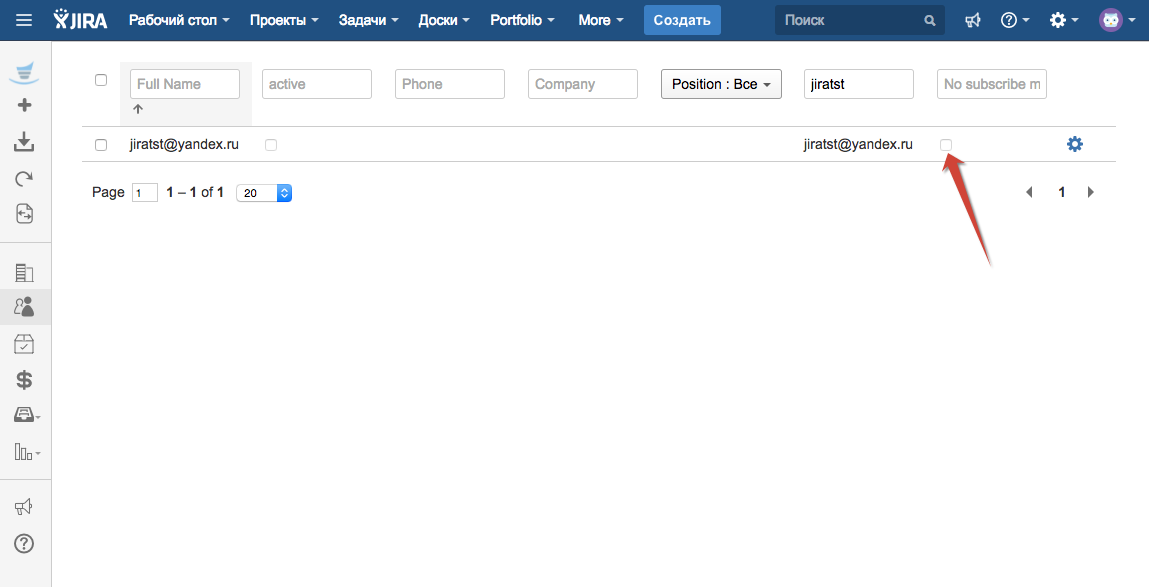
The add-on for Confluence allows you to add a macro to confluence page for users to enter their e-mail and be part of your Direct Mailing.
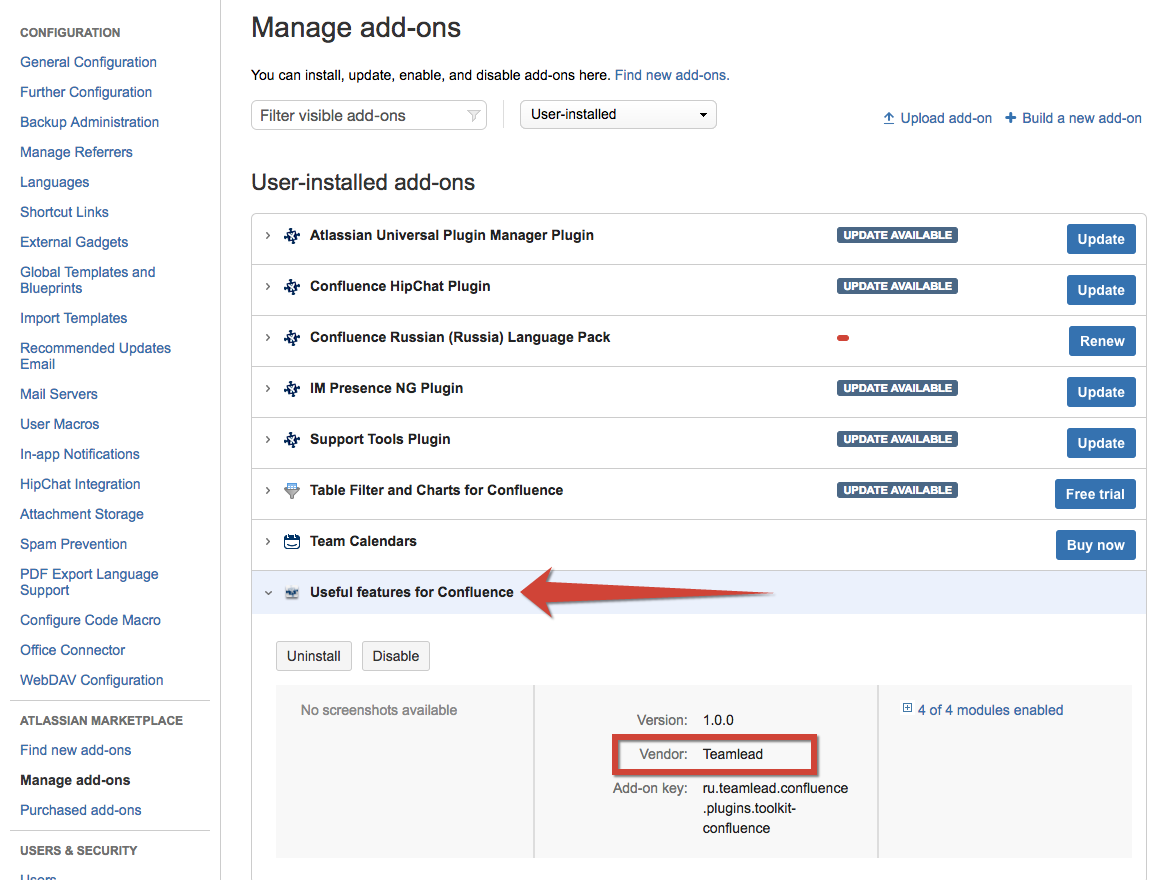
Install free add-on Useful features for Confluence by Teamlead on your Confluence instance. You can find this plugin attached to this page.
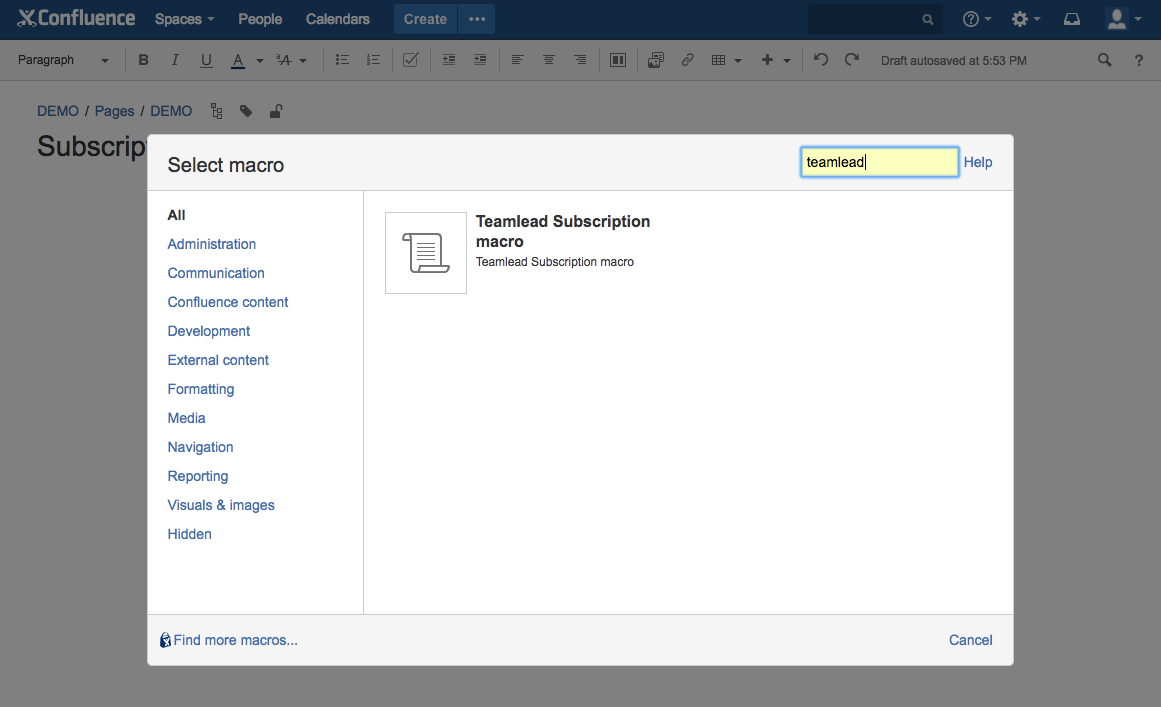
Create a new page or click on Edit page and add a macro 'Teamlead Subscribtion macro'.
Input an URL where CRM is located and CRM's superuser. New contacts will be added and existing contacts will be edited on behalf of this superuser.
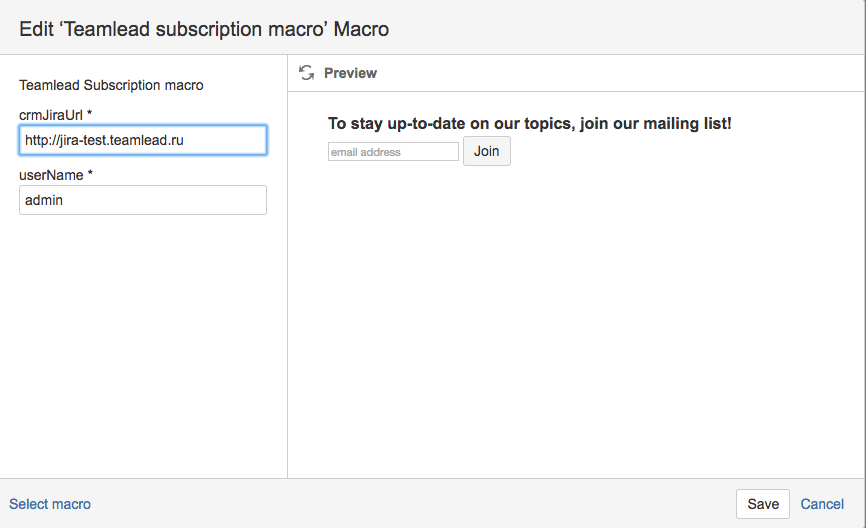
Confluence page looks like this:
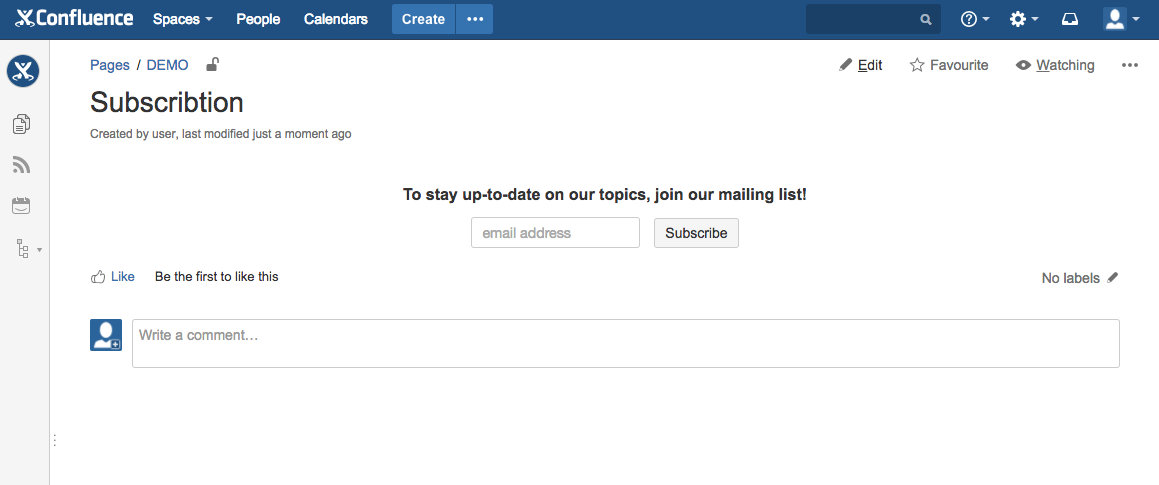
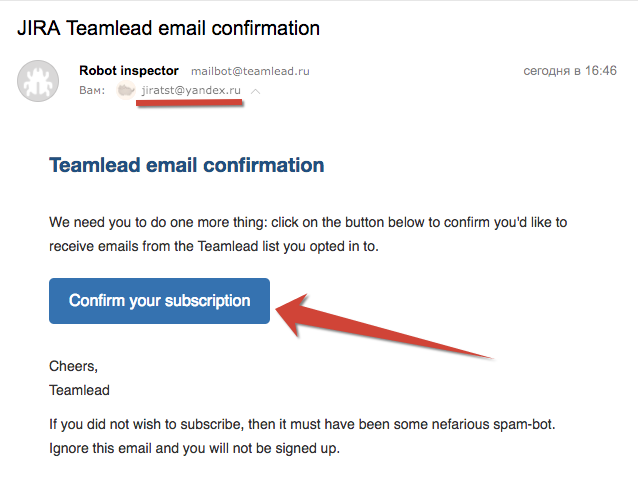
The user types in email address and presses 'Subscribe' button. On this email notification with confirmation link will be send.
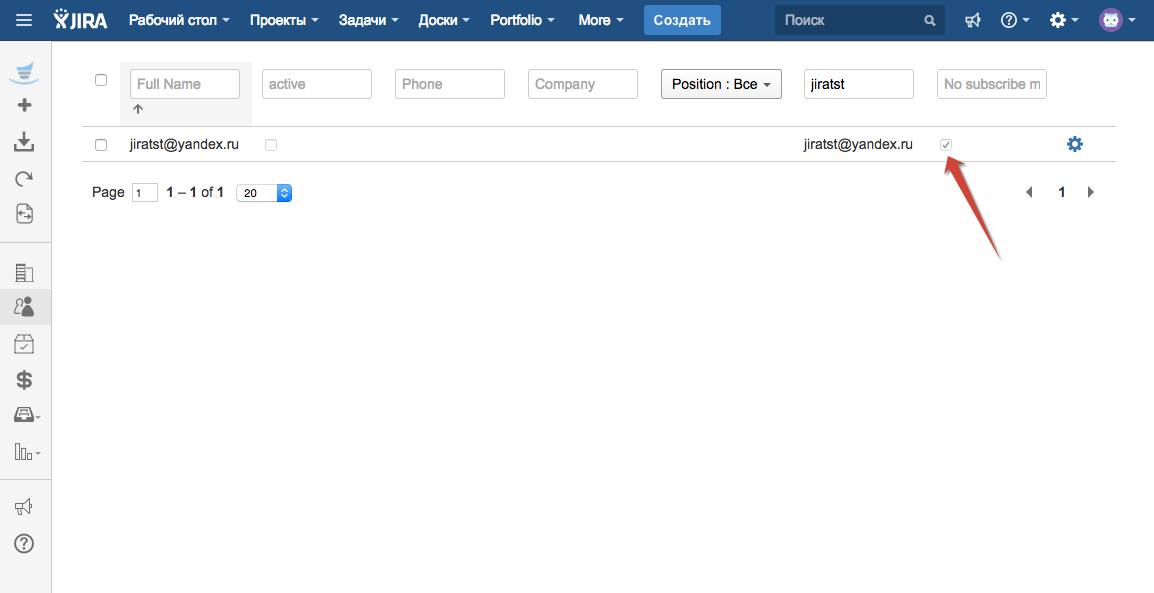
If contact with this email doesn't exist in your CRM new contact will be created with 'No subscribe me' checkbox enabled.
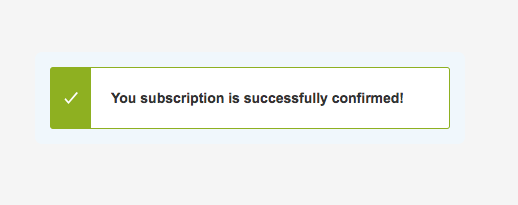
After Subscription Confirmation by user, confirmation message appears:
And newly created contact in CRM changes 'no subscribe me' status to disabled. If the contact already presents in your CRM Contacts directory, this contact as well will be added to your mailing list by un-checking the checkbox 'no subscribe me'.