
As a Jira Administrator, you have global oversight and management authority over all reminders scheduled across your Jira instance. Through the app's administrative configuration pages, you can inspect, modify, and purge reminders to maintain instance health and policy compliance.
Accessing the global Reminder Queue
-
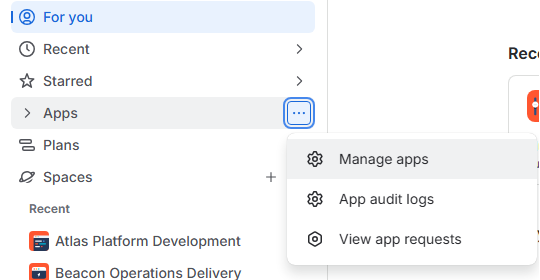
In Jira's main navigation, select Apps -> Manage your apps.
-
Atlassian will warn you about changes in App management settings and offer to be redirected to another page. Do not follow the redirect, but look at the left side of your screen instead:
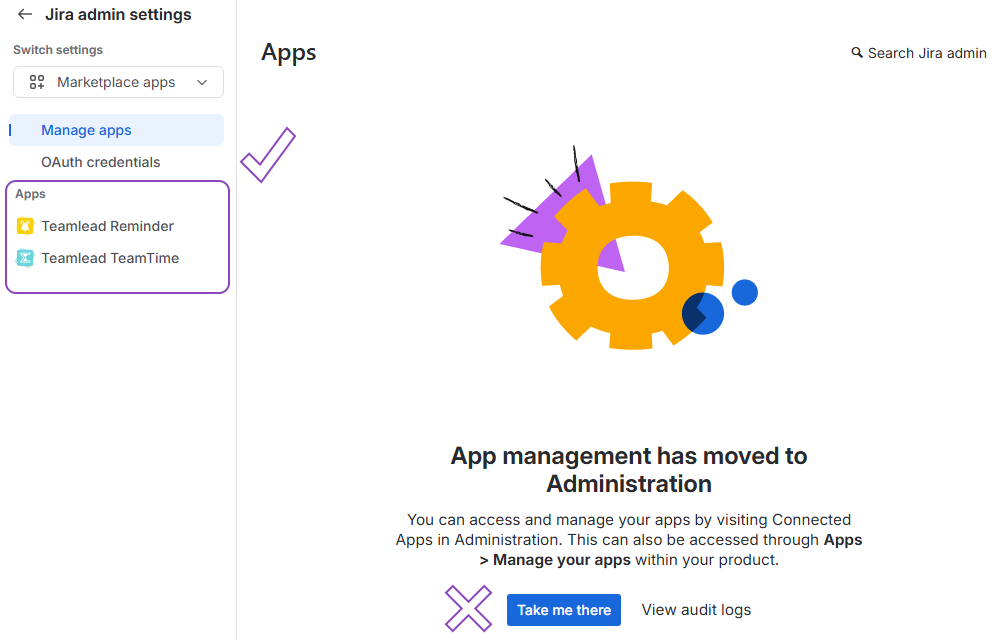
-
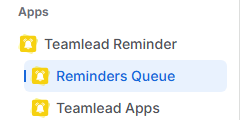
In the left navigation menu under the Teamlead Reminder section, select Reminder Queue.
-
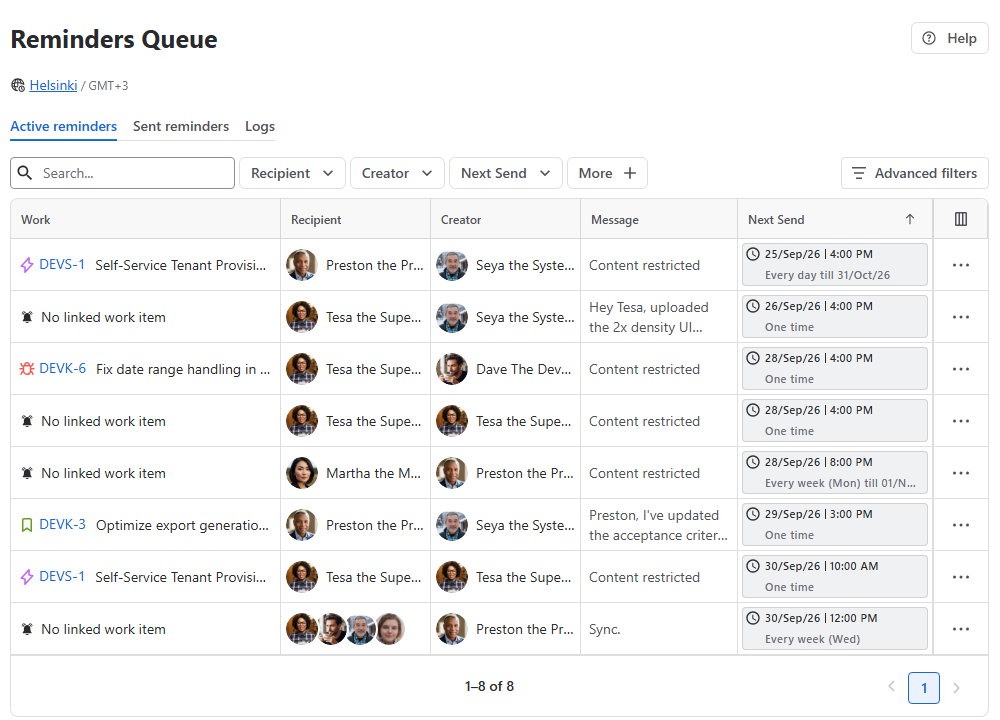
You will be redirected to the centralized Global Reminder Queue page.
The active & scheduled reminders will be displayed in the Active reminders tab.
Reminder governance & management
@User отправила тебе вопрос по требованиям пока Димы нет
The administrative interface enforces strict privacy boundaries while granting full operational control:
|
Reminder Type |
View Content |
Edit Parameters |
Delete |
Description & Privacy Handling |
|
Public Reminders |
✅ |
✅ |
✅ |
Full Control: Admins can view complete message details, reassign recipients, modify execution schedules, or delete entries across any space. |
|
Private & Personal Reminders (User is active) |
❌ (Restricted) |
❌ |
❌ |
Privacy Protected: Message contents and detailed context are masked as Restricted Content. Admins cannot view or edit these entries, but retain full deletion rights. |
|
Private & Personal Reminders (User is not active) |
✅ |
✅ |
✅ |
Full Control: Admins can view complete message details, reassign recipients, modify execution schedules, or delete entries across any space. |
Note: Upon user account deactivation, there may be a short delay before global management permissions over the deactivated user's scheduled reminders are fully transferred to the Jira Administrator. If a deactivated user's reminders do not immediately appear as editable or manageable in the global queue, allow system synchronization to complete.
Sent reminders
The Sent Reminders tab serves as a historical audit log for all reminders that have already been triggered and delivered across your Jira instance.
Read-Only Archive: All entries in the Sent Reminders tab are view-only. Triggered reminders are archived for historical tracking and compliance purposes and cannot be edited, re-sent, or deleted from this view.
Stay informed
Subscribe to get the latest updates and explore new product capabilities