
Welcome to Reminder! This quick user interface guide walks you through the core navigation, views, and filtering options available within the app.
Accessing the App
-
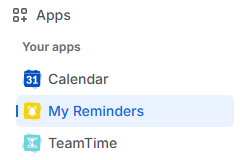
Open the Apps menu in the left-hand sidebar.
-
Select My Reminder to launch the app main page.
Main page components
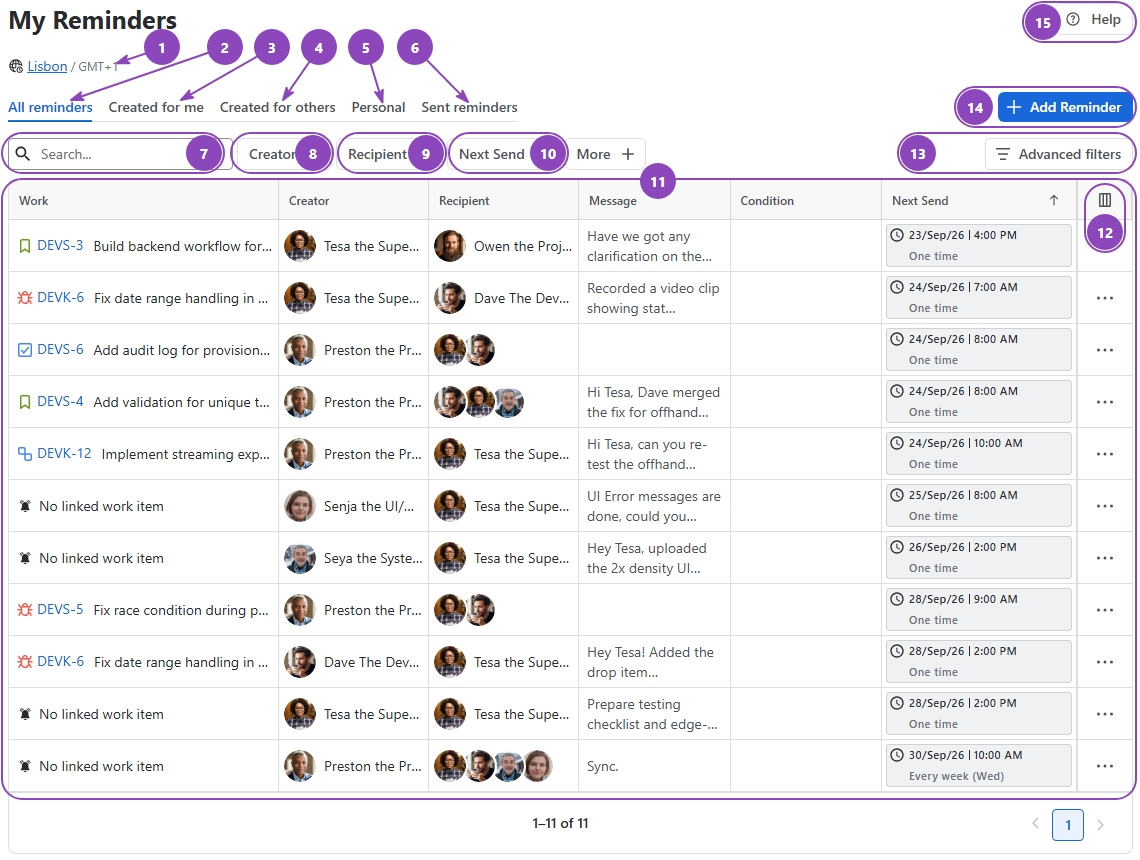
The main page of Reminder for Jira app acts as your central hub for creating, managing, and tracking all reminders across your instance:
-
Timezone: Displays your active timezone. Ensure this is accurate; if not, click the timezone name to modify it within your account settings.
-
All reminders: Displays a complete list of all accessible reminders stacked together.
-
Created for me: Lists issue reminders where you are the assignee, including reminders created by colleagues or self-reminders.
-
Created for others: Displays all issue reminders you have assigned to other users.
-
Personal: Contains your private, personal reminders.
-
Sent reminders: Displays already triggered reminders for history and compliance purposes.
-
Search: Filters reminders in real time based on summary text.
-
Creator: Filters reminders based on who created them.
-
Recipient: Filters reminders based on who receives them.
-
Next Send: Filters reminders by their scheduled or sent timestamp.
-
Data grid: Displays reminders according to selected tabs and filters.
-
Data grid’s display options: Configures which table columns are visible to customize your view.
-
Advanced filters: Applies complex conditions to help pinpoint specific reminders.
-
Add Reminder: Creates a new reminder. (Keyboard shortcut: Press R for quick access).
-
Help: Quick access to contact Support, review Documentation, read Release Notes, or book a Customer Development Interview.
Reminder from within work item
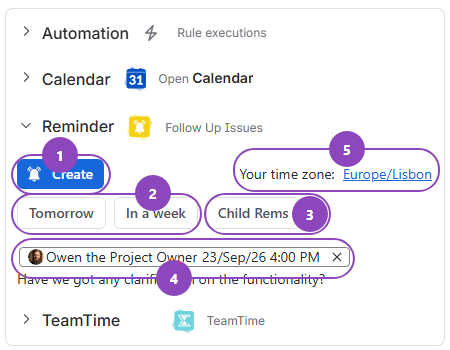
In addition to the main app page, you can manage reminders directly inside any individual work item using the context panel:
-
Create: Opens the reminder creation window directly over your current work item. (Keyboard shortcut: Press R for quick access).
-
Tomorrow / In a week: Creates an instant reminder with a single click to bring you back to this work item at a later date.
-
Child Rems: Manage which child work items have active reminders and who the assigned recipients are.
-
Existing reminders: Shows public reminders and private reminders relevant to you directly within this section.
-
Time zone: Opens your account time zone settings if you need to adjust your current time zone.
Stay informed
Subscribe to get the latest updates and explore new product capabilities