
A powerful feature of the Calendar for Jira app is its ability to integrate with external calendars through iCal (ICS) subscriptions. When you obtain an ICS link from platforms like Google Calendar or the Outlook on the Web and subscribe to it within our app, you're creating a live connection.
This means that any changes, additions, or deletions made to the original calendar (whether in Google or Outlook) will be automatically reflected in your calendars. This ensures your team always has the most up-to-date information on external events, such as industry conferences, public holidays, or shared team schedules, without manual intervention.
How to find an ICS-link in Google Calendar
Instructions
-
Open your browser and head to Google Calendar.
-
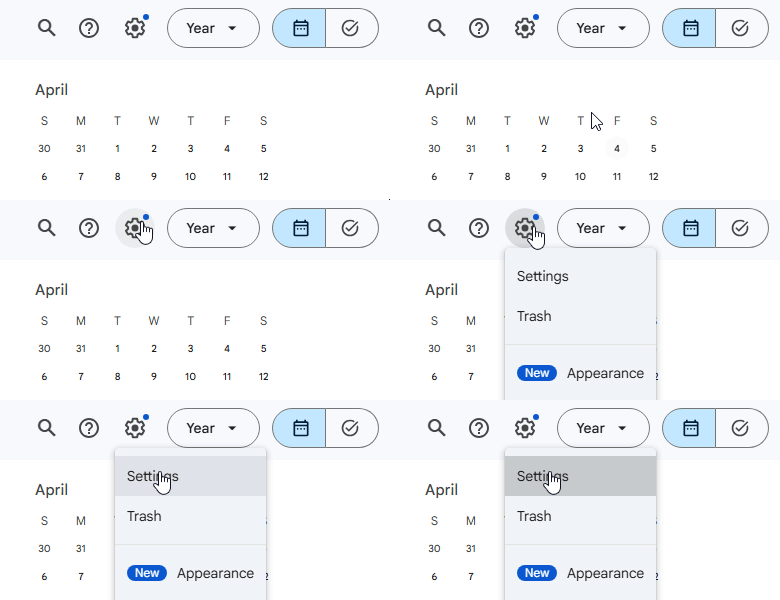
Navigate to the Settings (usually found in the top-right corner of your screen).
-
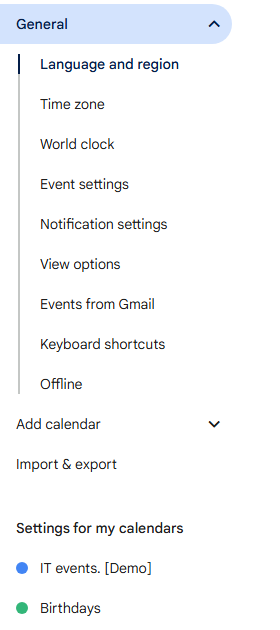
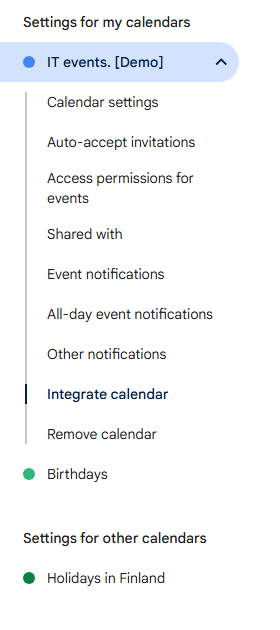
In the sidebar on the left side of the screen, navigate to the settings of the calendar you wish to export in the Settings for my calendars section.
-
From there, head to Integrate calendar section.
-
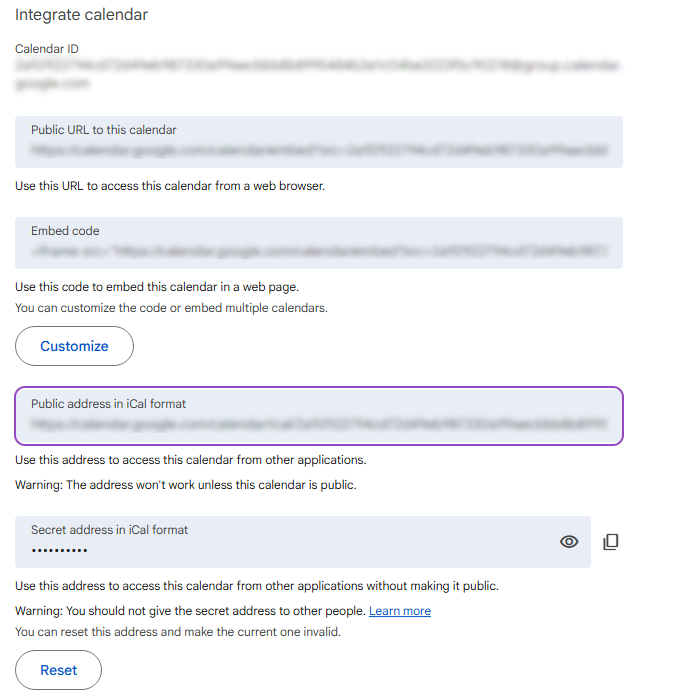
Copy the link from Public address in iCal format.
Note: The calendar must be public for this address to work in our Calendar for Jira App (and anywhere else). To make it public, head to Access permissions for events section of the calendar’s settings and allow public access.
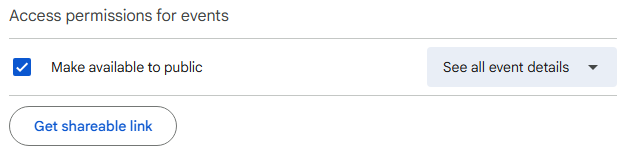
Once you have your link, head back to our Calendar for Jira app!
How to find an ICS-link in Outlook on the Web
Instructions
-
Open your browser and head to Outlook.
-
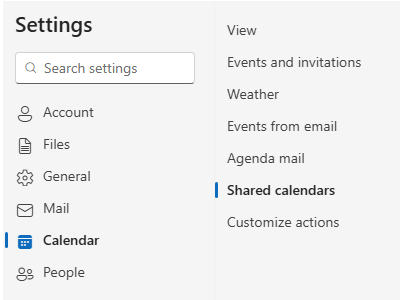
Navigate to Settings in the top right corner of your screen (usually in the blue ribbon, right next to your profile icon):

-
In the opened window head over to Calendar settings, then Shared calendars.
-
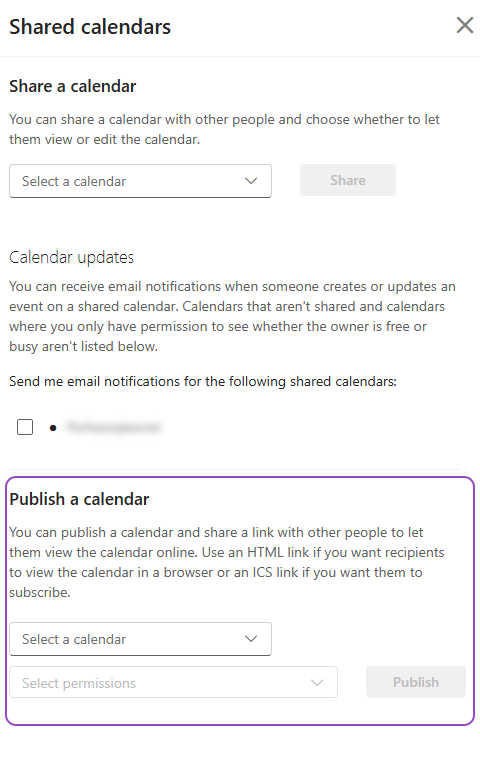
On the right side of the settings menu, locate Publish a calendar section.
-
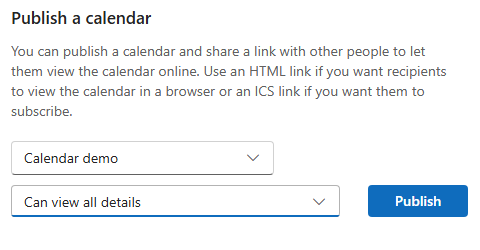
From the first dropdown menu Select a calendar, choose the specific calendar you want to publish.
-
From the second dropdown menu Select permissions, choose how much detail you want to share.
-
Click the Publish button.
-
Upon publishing, two links will appear: HTML and ICS. Copy the ICS-link:
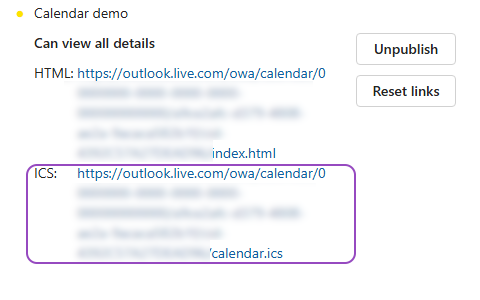
Once you have your link, head back to our Calendar for Jira app!
Let us know what other external sources you would like to receive the explanation on how to retrieve a calendar in iCal format!
How to attach an external calendar to our Calendar for Jira
Once you’ve obtained the iCal (ICS) subscription link of the calendar you’d like to display in your internal calendar, follow these steps:
-
Open the internal calendar to which you would like to add the external information.
-
Open the Settings of this calendar in the bottom of the sidebar.

-
Navigate to External calendars tab in the settings.
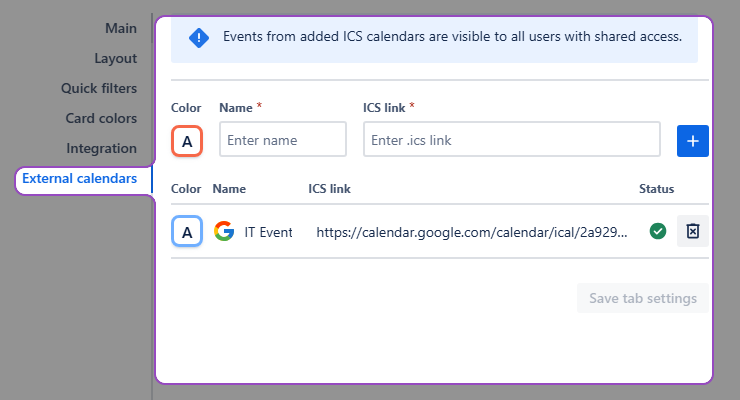
4. In External calendars, configure your future external calendar: pick a color, give it a name, and provide the ICS-subscription link you’ve obtained earlier.
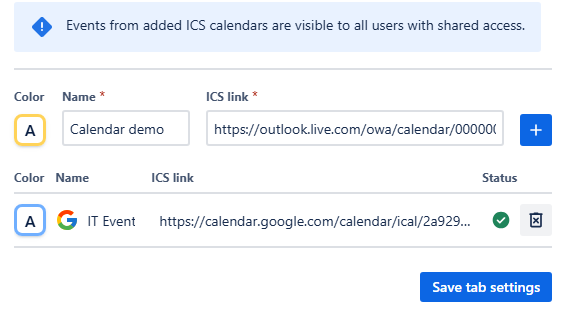
-
Click + add button—the calendar then will be moved to the list of external calendars underneath.
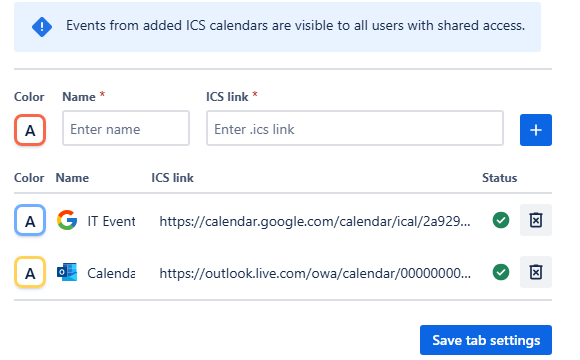
-
Click Save the tab settings.
After you follow these steps, the external calendar should appear in the Calendars menu of the sidebar, beneath your internal calendars.
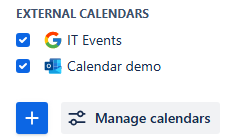
To activate it, check the box to the left of its name. To deactivate it—uncheck it.
How to delete an external calendar
If you would like to delete the external calendar, again head to the External calendars tab of the settings of your internal calendar.
In there, to the right of the calendar’s link is the delete button—click it, then confirm your changes by clicking the Save tab settings button.

Stay informed
Subscribe to get the latest updates and explore new product capabilities