
Calendar for Jira — one place to plan across projects

Work rarely happens in one project — and that’s exactly where our calendar helps.
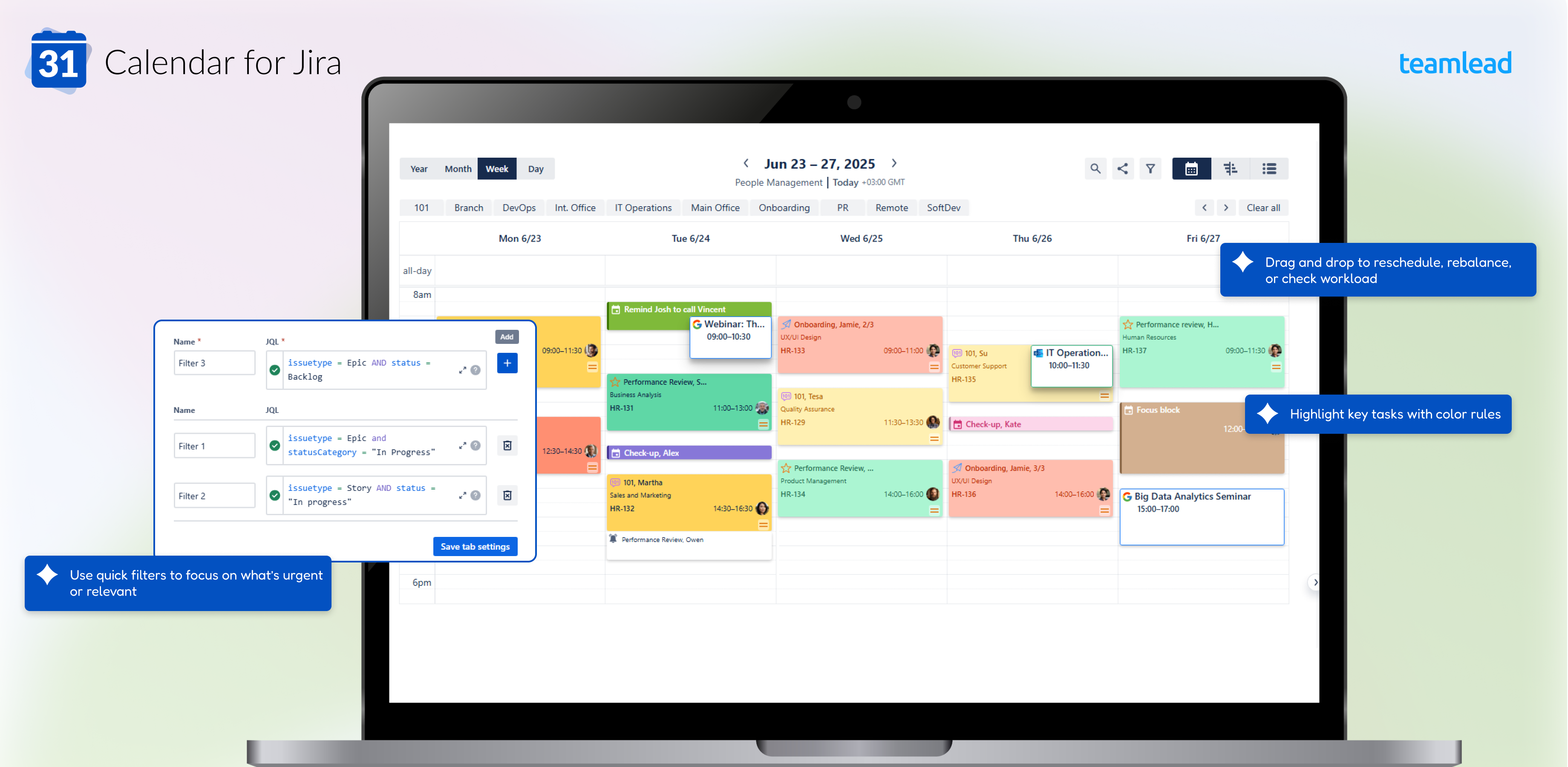
Calendar for Jira brings together issues, events, and personal tasks from multiple projects, so you always see the full picture and stay focused on what matters.
No switching tools, no juggling boards — everything you need is in one place.
-
Create shared or personal calendars with your own JQL scope
-
Highlight key tasks with color rules
-
Connect Google or Outlook calendars to see your full schedule
-
Drag and drop to reschedule, rebalance, or check workload
-
Use quick filters to focus on what’s urgent or relevant
Built for teams that plan, track, and adapt — right inside Jira.
🚀 Get started
Set up your first calendar in a few minutes:
-
Create a calendar — start from your project or a JQL filter
-
Adjust layout and date fields — choose what you want to display
-
Add quick filters — save time and focus faster
-
Share with teammates — keep everyone aligned
-
For Admins — installation and permissions
💡 Ways to use Calendar for Jira
Calendar fits different workflows — here are just a few ideas:
-
HR & Team coordination — plan vacations, events, and team availability
-
Marketing & Product teams — schedule launches, posts, and deadlines
-
Personal planning — mix work, reminders, and private events in one view
See examples:
If you’re migrating to Cloud, see Migration Guide — we’ve covered common questions
💬 Need help or want to stay in touch?
-
Want to see it live? Book a demo
-
Contact us: support@teamlead.one
-
Subscribe to our updates → Get product news and guides
-
Follow updates on LinkedIn or teamlead.one
Calendar for Jira works great with Reminders for Jira and CRM for Jira. Plan time, manage clients, and keep every project in sync.
(If you plan to use more than one of our apps, we have a special offer — feel free to contact us for details)