Stay informed
Subscribe to get the latest updates and explore new product capabilities
-
Calendar gadget: Now supports displaying any calendar view with no limit on the number of gadgets on your dashboards.
-
Compact\Expanded mode: Added a toggle in calendar settings to easily show or hide extra events.
-
Migration path: Cloud-side configuration is ready (awaiting Data Center support).
Fixed Bugs:
-
Fixed broken ICS subscription links (404 error).
-
Fixed calendar sharing URL not opening correctly for external users
🎉 Major update! Enjoy a refreshed look, improved performance, and an overall better experience.
-
Security improvements
New feature:
-
Added external calendars support via ics-subscription.
-
User permissions check improvements related to calendar loading.
-
Security improvements.
-
Minor improvement: icon update.
-
Layout settings: Issue card's and preview's displaying is fixed.
-
Card colors: JQL tips no longer interfere with the color palette display.
-
Sharing calendars functionality improvements ("Owner" type of role is added).
-
Layout: Issue card and Issue preview lists do not include anymore fields that are not available for displaying.
-
Calendars' list: deletion, duplication and wrong name appearing for available calendars in users' list are fixed.
-
Layout: Issue card and Issue preview lists do not include anymore fields that are not available for displaying.
-
Calendars' list: deletion, duplication and wrong name appearing for available calendars in user's list are fixed.
-
Events, reminders and Google events are being hidden when quick filter is applied.
-
Ability to set up 30 min lasting issue on Timeline Week is added. Minor visual improvements.
-
"Add" button on Card Colors and Quick Filters sections is highlighted.
-
Minor visual improvements.
New preview design and its default settings.
⭐ The following information is always displayed per issue, regardless of the issue preview settings:
-
Issue type
-
Key
-
Summary
-
The fields the calendar is based on
⭐ Available actions are grouped into the handy menu.
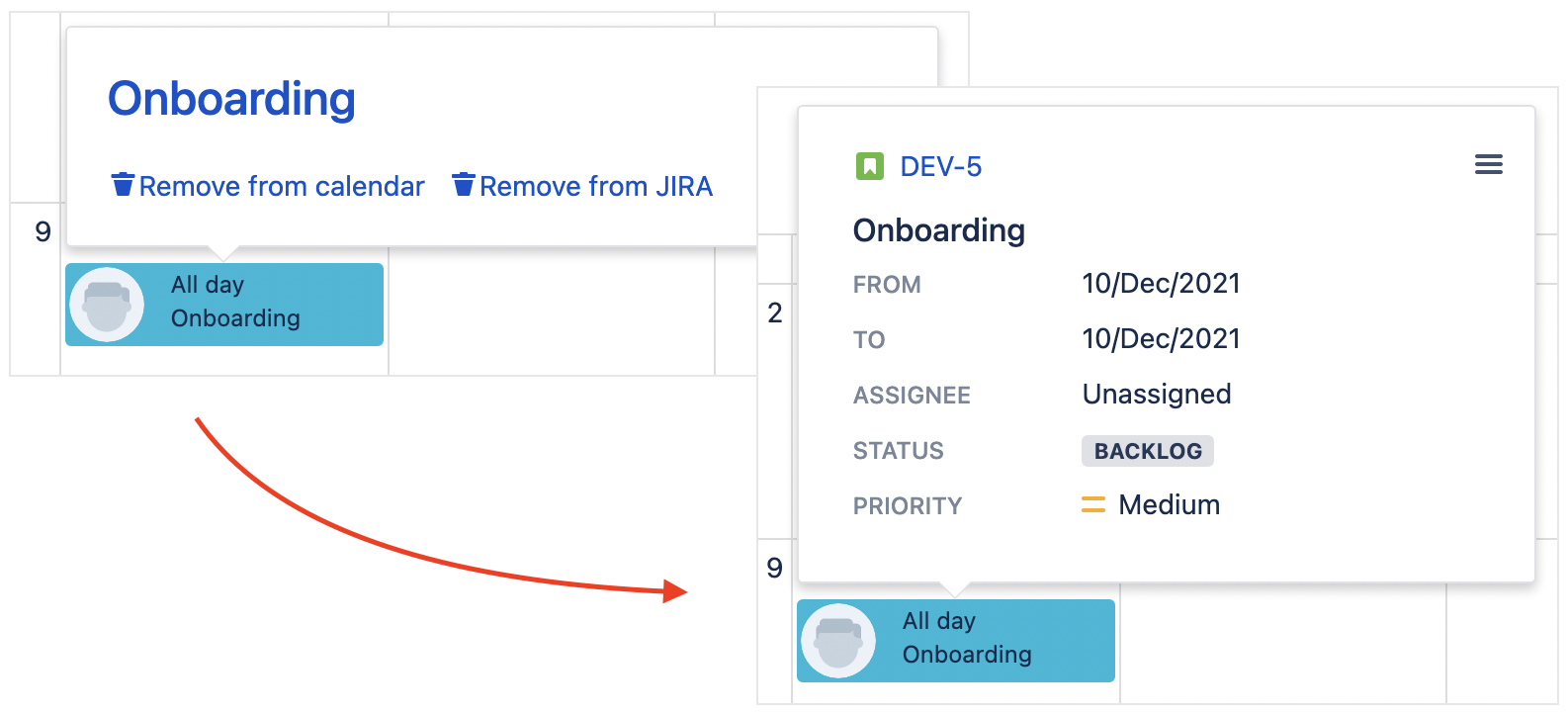
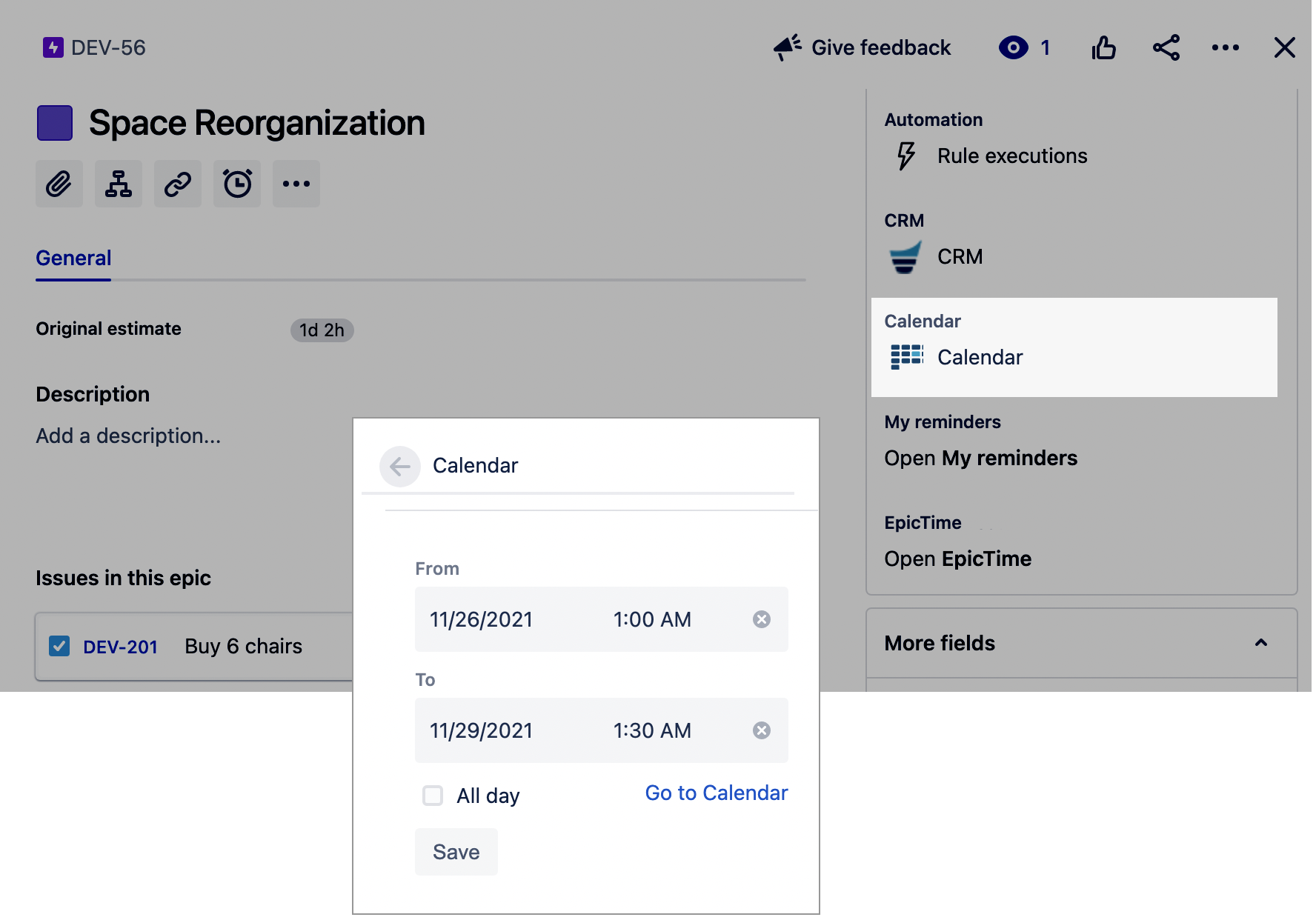
Embedded dates are available to base a calendar on. Those dates are preset in any project type in the special calendar section:
-
The underlying library was updated to the latest version.
-
The resolved issues are now hidden from the Unplanned Issues menu by default.
-
The Edit Issues project permission will be respected during planning.
-
The Due Date system field is now available to base a calendar on. The Schedule Issue project permissions will be respected during planning.
Fixed Bugs:
-
The 1:00 PM option is unavailable in the Show Time setting.
-
An error when trying to create a calendar while there are no saved filters in Jira.
-
Issues put on the last day of the month are stretched for 30 days.
-
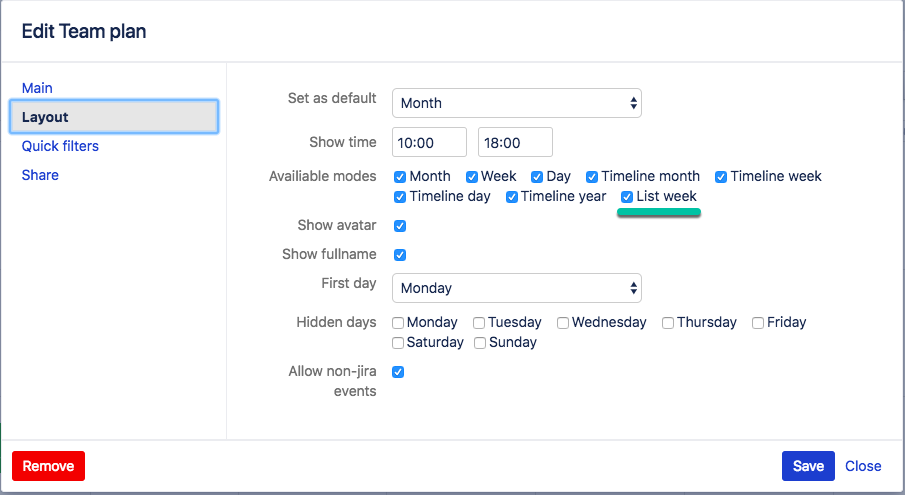
Broken issue links in the List Week view.
-
Unable to clear the filter by the assignee for unplanned issues.
-
A JQL-query error in card color scheme entry leads to disabling card coloring.
-
Infinite Calendar page loading in case of lack of the Reminder app permissions.
-
Ability to select the same field as Start and Finish that leads to planning mistakes.
-
Sent reminders displaying on the calendar.
-
The End Date Field value cannot be cleared.
-
Issue planned for the first calendar cell is not displayed.
-
The app creates custom fields.
-
Timeline Month displaying problem with enabled google calendar integration.
-
Dragging issues within the all-day area puts them to the hourly grid.
Color schemes were improved and the relevant settings were simplified:
-
text color for all entities is set by default and not required to be selected manually
-
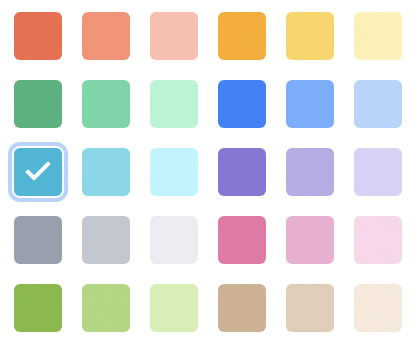
card colors were updated:
-
unplanned issues have the default color
-
the current day indicator was changed
-
Reminders and Google events minor visual improvements
-
The bug with color settings applied from the last to the first was fixed
-
The color settings now allow prioritization
-
Single-date calendars are now available
-
For calendars based on dates, the finish date now displayed as included (i. e. the issues with dates May 3th to May 4th will be displayed as a two-day event in a calendar)
-
The app now doesn't create custom fields
-
Minor improvements
-
Improved connection security
-
HSTS included
-
TLS version 1.2 is now used
-
-
Fixed XSS vulnerability
Bug with issue start/end dates incorrectly changing after issue expansion was fixed.
-
Month view: bug with issues moving to incorrect dates after page refresh was fixed.
-
Bug with endless page loading after the only one calendar has been deleted was fixed.
-
Assignee filter clear in "Unplanned issues" section was fixed.
-
Bug with Calendar view is updated to default one after choosing quick filter was fixed.
-
Assignee column in timeline views now contains only assignees who have issues in chosen period.
-
List of assignees in assignee filter now displays only those users who have issues in chosen calendar period.
-
List of all available options of fields added in JQL based settings was added.
-
User access token expiration while Calendar using was fixed.
-
Bug with assignees duplicating in timeline views was fixed.
-
Bug with "Description" field display in "Issue card" and "Issue preview" was fixed.
-
Name of shared calendar is now changing for all users who have access to the calendar if one was renamed.
-
Reminders. Integration with the app Reminder for Jira - Follow Up Issues.
-
Availability to add additional custom fields on events cards.
-
Bug fixes.
-
Recurring non-Jira events. Now you can schedule non-Jira events on a regular base.
-
Pre-configured filters with resources (assignees) for calendar events.
-
You can display more custom fields on events cards.
-
Permission scheme for calendars. Since implementation creator and admin would have permissions to customize calendars. Also, the creator could share permissions.
-
Gadget for a dashboard.
-
Ability to configure issues card.
-
Custom Start and Finish dates for the calendar events.
-
Onboarding for new users.
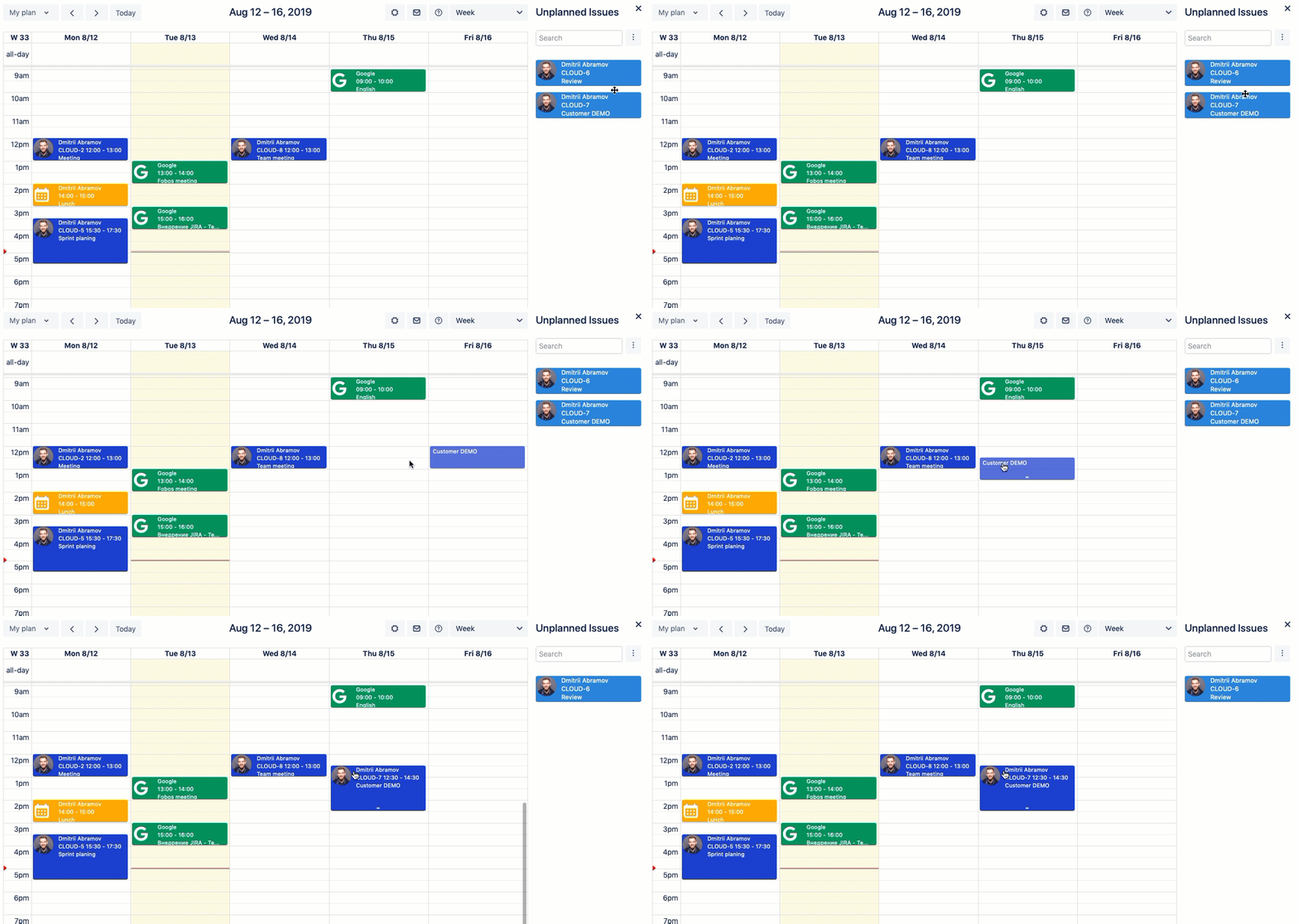
You can drag-and-drop all unscheduled tasks on the calendar area and schedule them.
Highlights
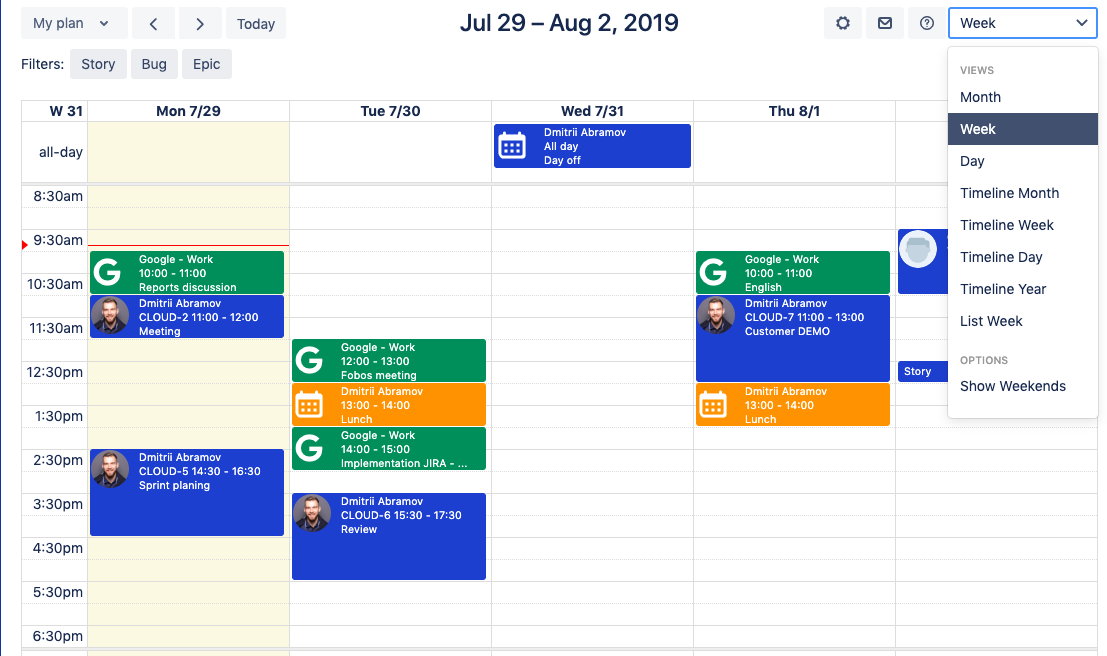
New UI and UX.
-
Pre-configured hidden days. Now you can hide weekends just by one click.
-
All view-models are available.
-
Add calendar button moved to a calendar drop-down section on the left-hand side.
-
Non-Jira events are available by default.
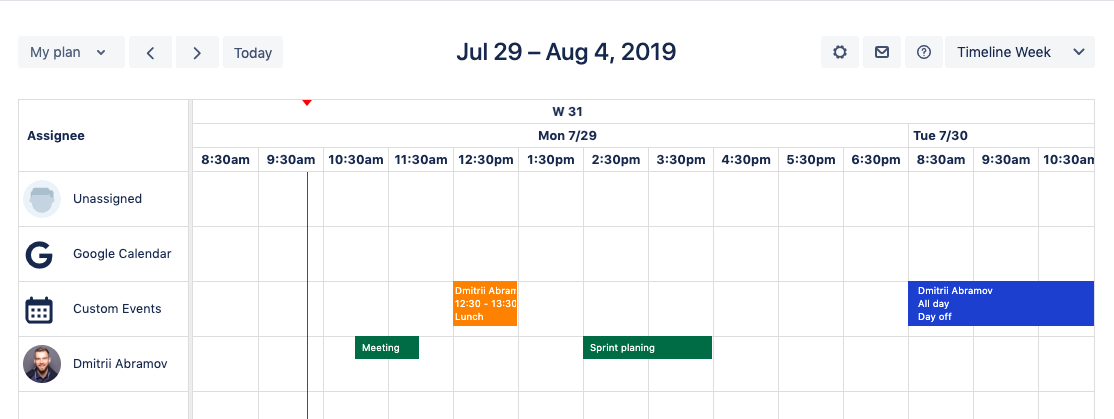
Resource planning in the timeline view.
Deprecated
-
Group filter.
-
Manual settings for setting up hidden days.
-
Assessment Calendar for Jira Cloud. Please help us to improve our App - Calendar for Jira Cloud. We started our way of improvements and highly desirable to collect your feedback to help us to make our app better for you.
-
Google Calendar integration. Now you can track all your activities in one place. We delivered Google Calendar integration.
.gif?cb=26cb31451859af39c29c4a9e17cd9b7d)
New way to customize cards colors.
.gif?cb=356a830489ed24ccdf29f934f4c071d1)
Highlights
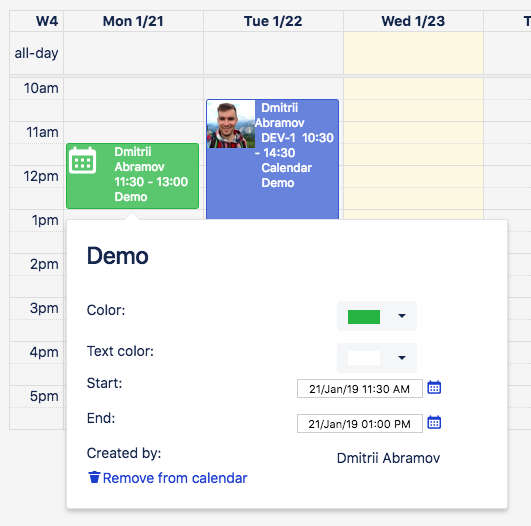
Non-Jira events
You can add non-Jira events to your plan, this feature allows you to be on track with all of your plans in one place.
List view
Now you can see you plan in a new way
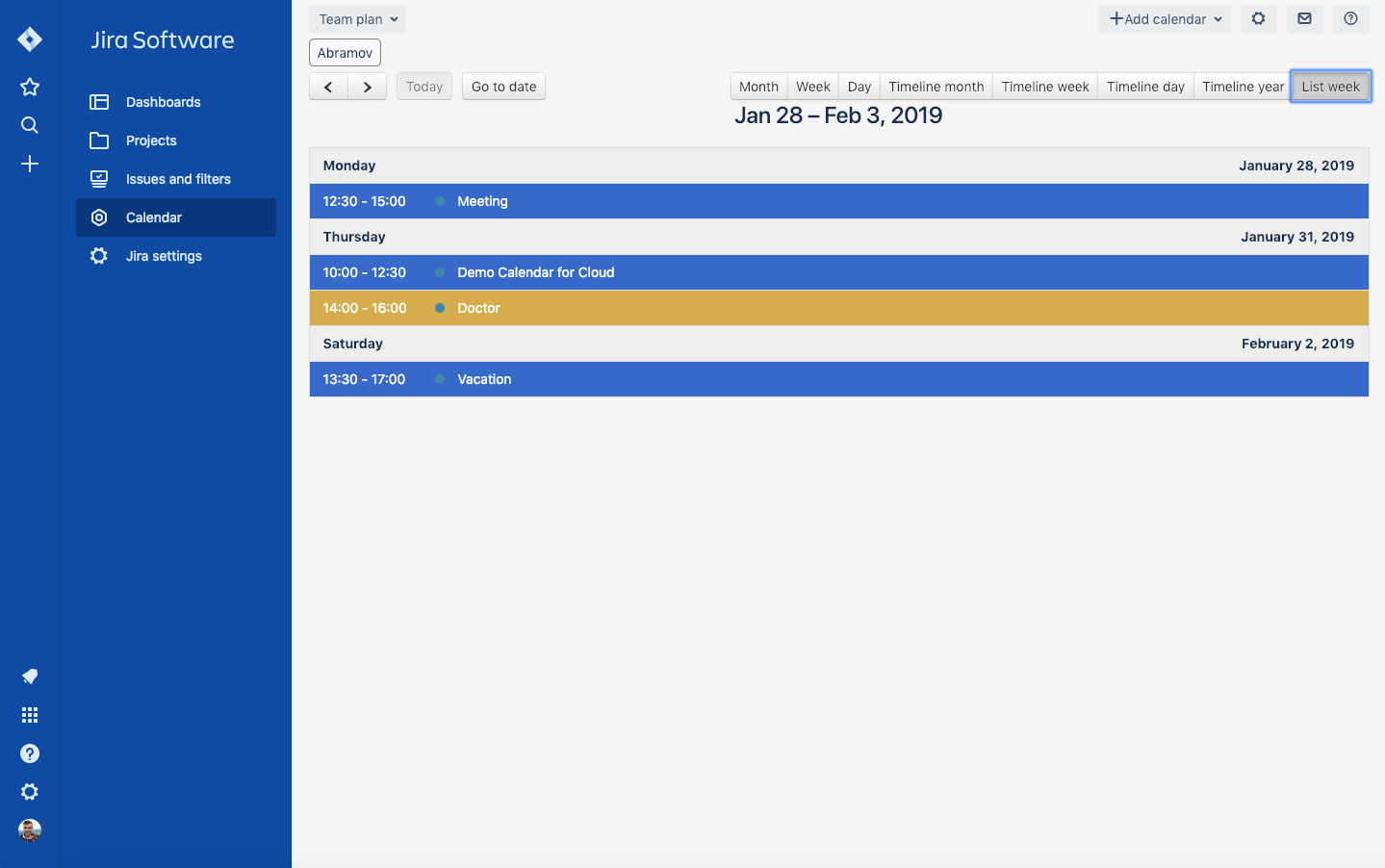
To set-up just add new view in the layout settings Calendar - ⚙️ Edit - Layout