
Calendar Settings (cog) → Quick Filters
Quick filters in Calendar are pretty much the same as the Agile Board quick filters. You can set up the predefined JQL-queries to filter the issues within the current calendar.
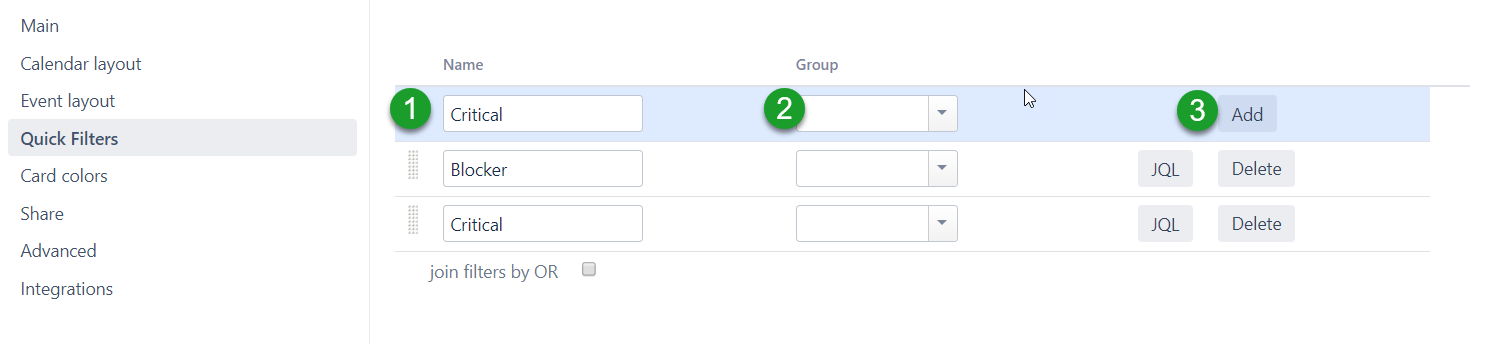
Here you can create quick filters for the calendar. For each quick filter specify:
-
Name
-
Group – filters can be grouped in a kind of tabs. Name the group or select a group from already existing ones.
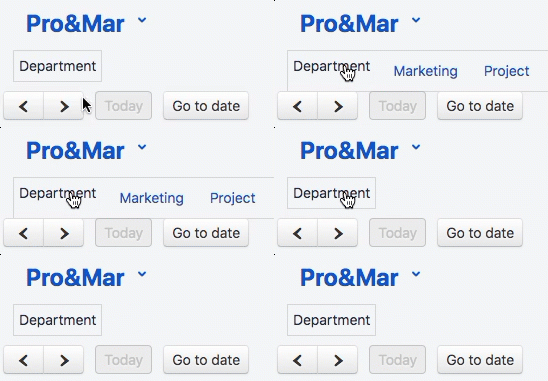
-
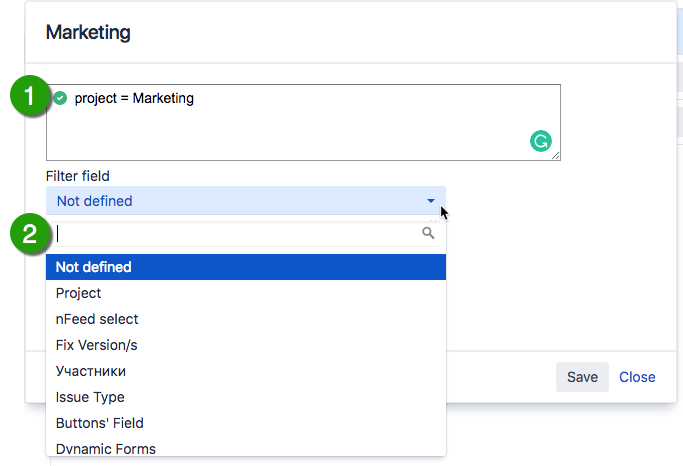
JQL:
-
the filter query
-
the field for instant filtering
-
-
Join filters by OR – if checked, the combined list of issues will be displayed if several filters are selected. Otherwise, only the issues that meet both filters will be displayed.