
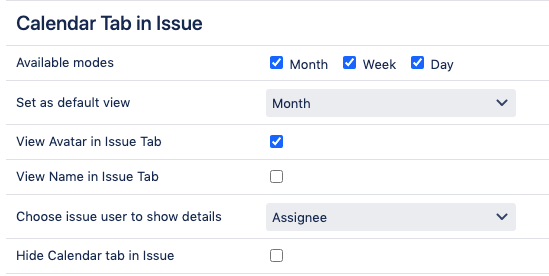
The Calendar issue tab displays the issues of the current issue assignee to quickly understand workload. The following settings relate to the calendar tab within the issue view.
|
Available modes |
Select which modes will be available within the issue view: 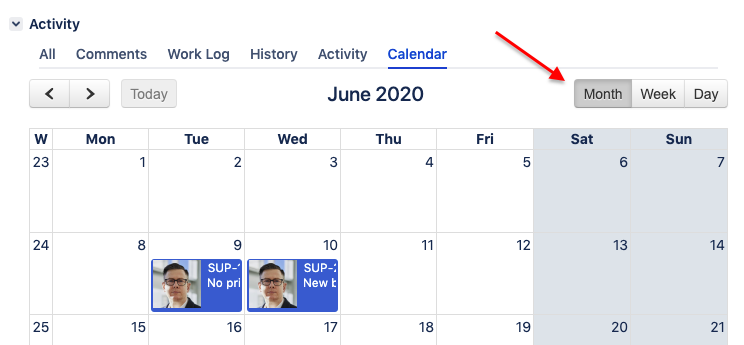
|
|
Set as default view |
Choose the default mode – a user will see this mode if after switching to the Calendar tab. |
|
View Avatar in Issue Tab |
Check if the user avatar should be displayed for issues. |
|
View Name in Issue Tab |
Check if the user's Full Name should be displayed for issues. |
|
Choose issue user to show details |
Choose a user whose avatar and Full Name should be displayed: Assignee or Reporter |
|
Hide Calendar tab in Issue |
Hides the Calendar tab in the issue view. |