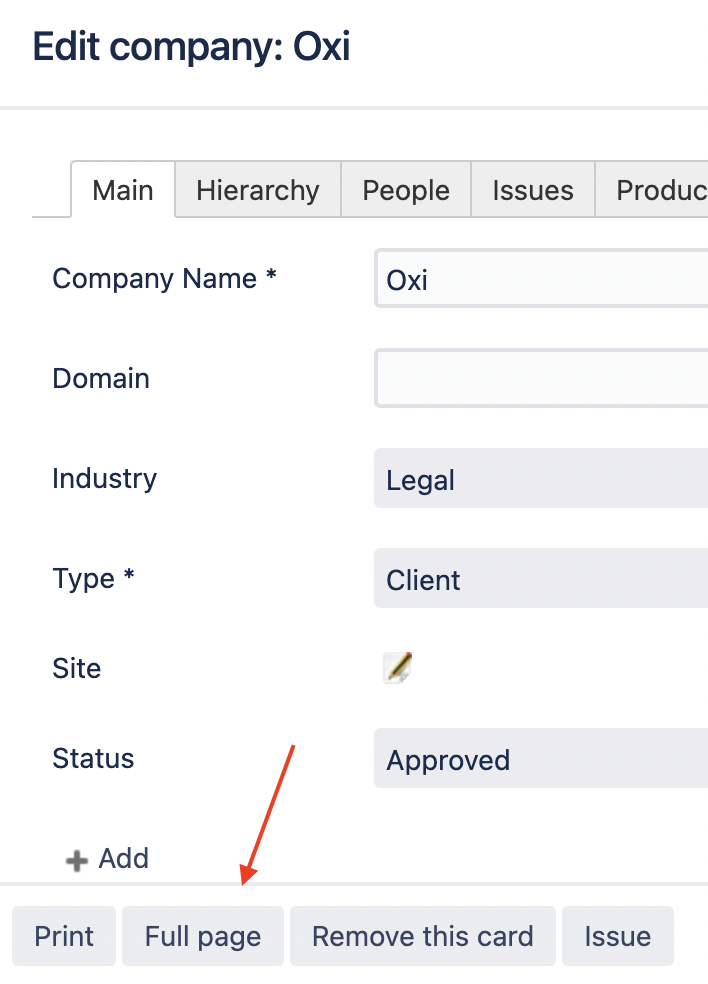
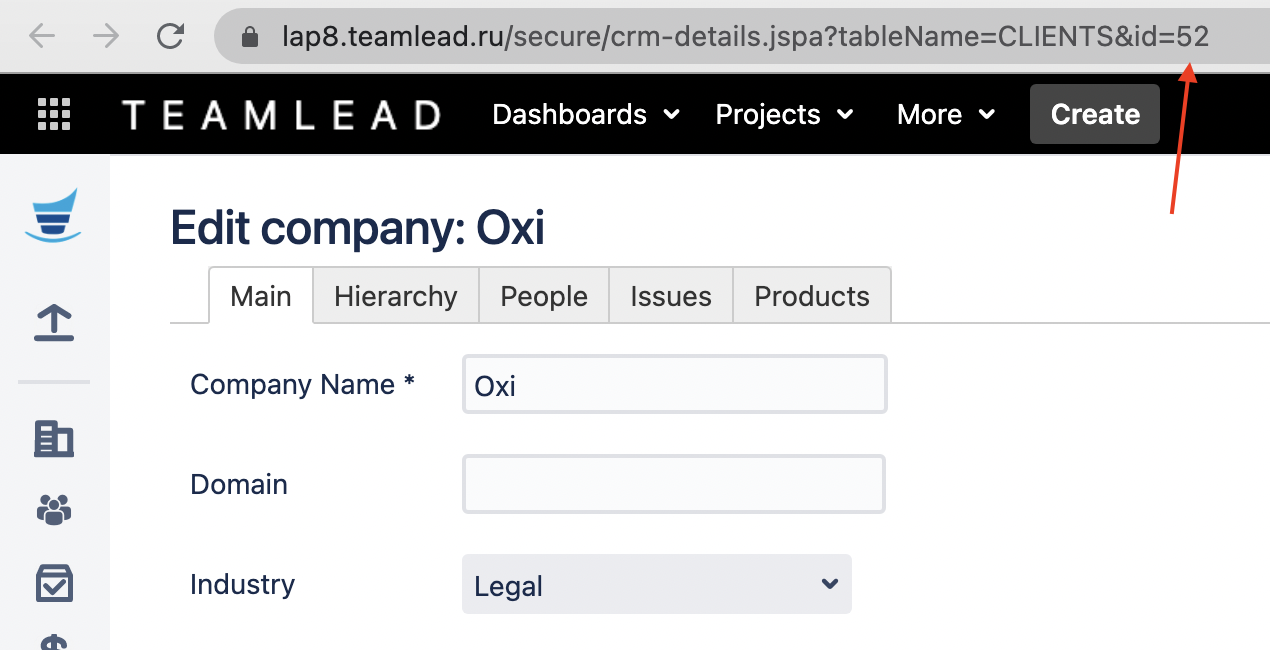
If you use the manual mode of selecting a CRM Company you may need to auto-select a value in some cases (i. e. by issue creation).
Automation rule
Following is the guide for setting this action in Automation for Jira.
-
Select a trigger (for example, Issue commented)
-
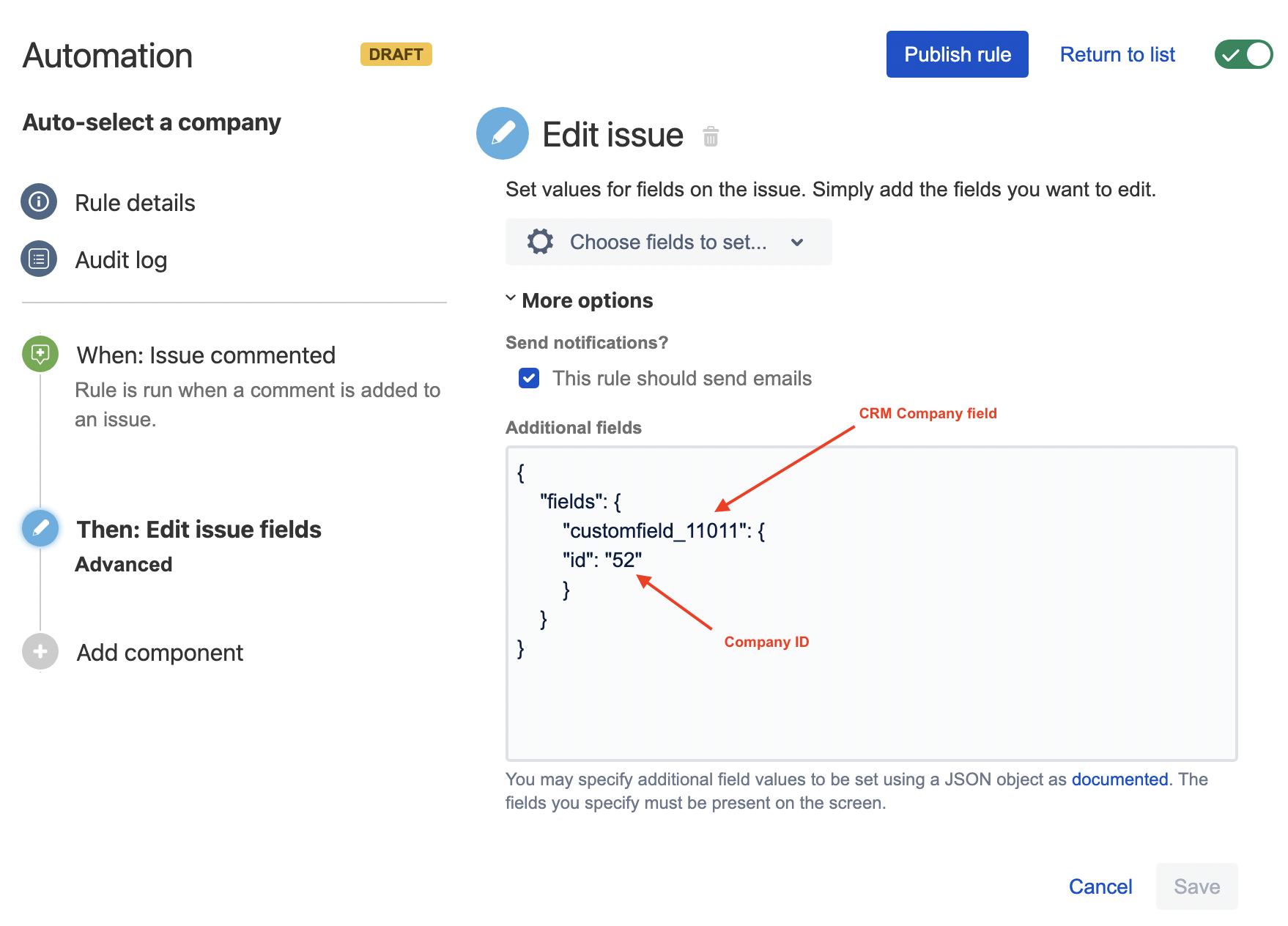
Add the Edit issue action and specify the following text in the Additional fields section using the custom field id/name and the required CRM Company id.
{
    "fields": {
        "customfield_11011": {
        "id": "52"
        }
    }
}
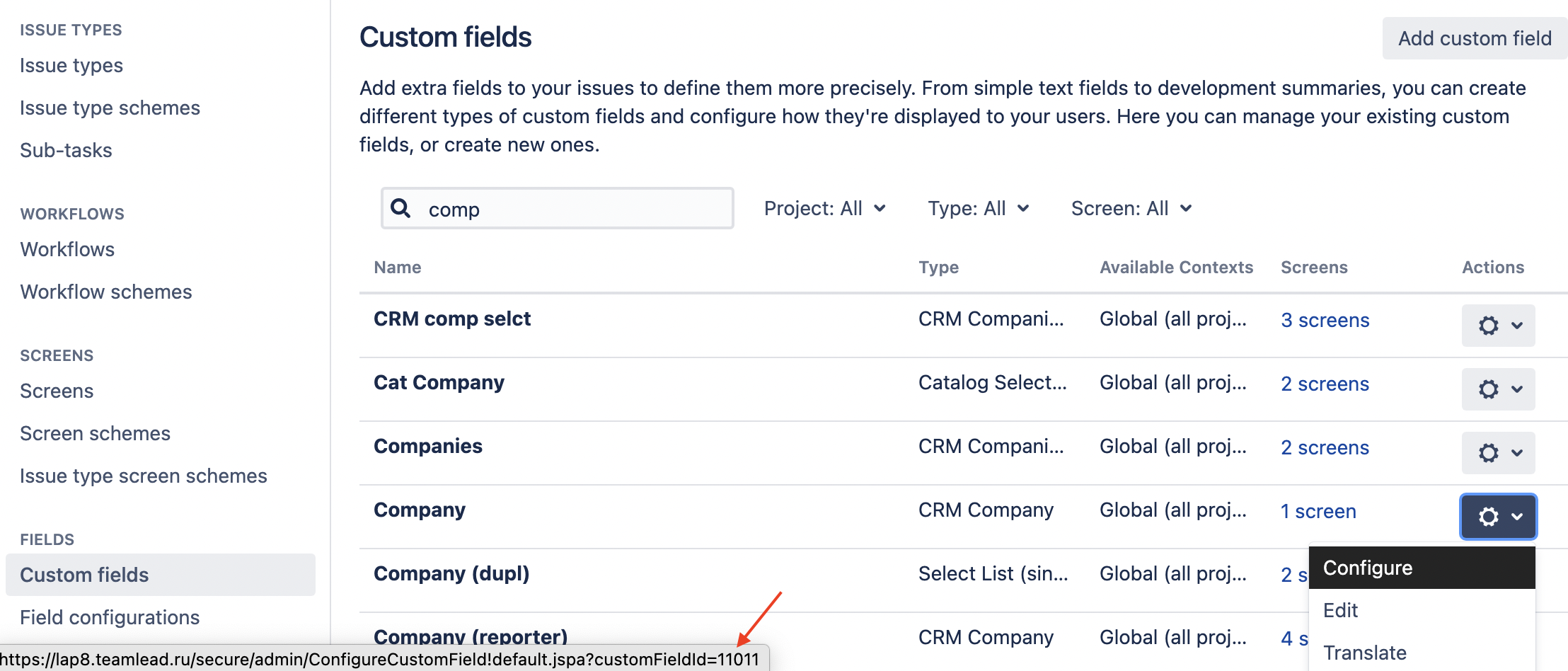
How to find the custom field id
Navigate to the list of custom fields, find a required field, click a menu and hover the Configure link. You will see the field id in the link path.
How to find the CRM Company id
Navigate to the required CRM Company card and click the Full Page button – the entry will be opened in a separate tab and the id can be found in the page URL.