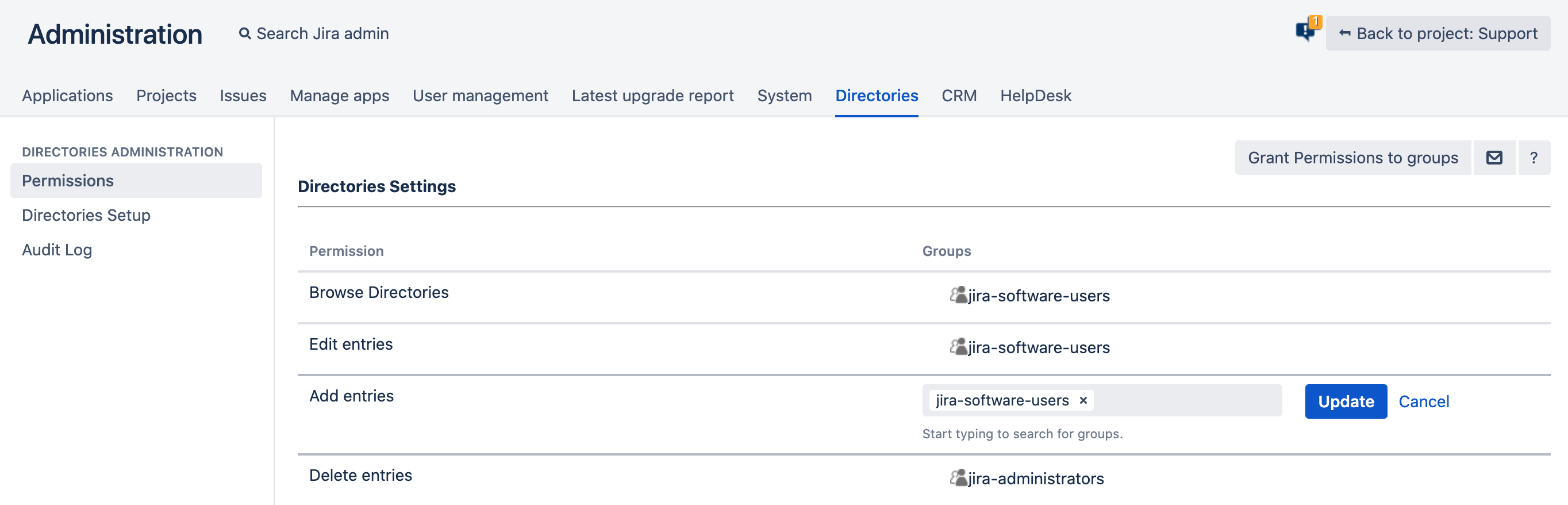
Universal Directories permissions are mutual for the Directories Section and the Directories Select custom field(s). They are located in the Jira Administration → Directories section and include the following parameters:
-
Browse Directories – allows users to access the Directories Section and browse the directories. This permission also allows users to browse the universal directory entries linked through the Directories Select custom field. ⚠ This permission is basic and should be granted to all users with any of the other permission.
-
Edit Entries – allows users to edit the universal directory entries directly in the Directories Section and through the Directories Select custom field.
-
Add entries – allows users to add new entries to directories directly in the Directories Section and through the Directories Select custom field.
-
Delete Entries – allows users to delete the entries from the Directories Section directories.
-
Export – allows users to export the list of the selected directory entries from the Directories Section.
-
Import – allows users to import the list of the selected directory entries to the Directories Section.