
During version updates it may happen that Jira’s native field data and TeamTime data do not come immediately in sync. Our team works tirelessly to ensure every update rolls out as smoothly as possible, but if it so happens that TeamTime’s calculations do not match your expectations, Recalculation may help.
Note: Recalculation can be performed by either Space Admins or users with Recalculation Space permissions. More about permissions here.
How to recalculate TeamTime metrics
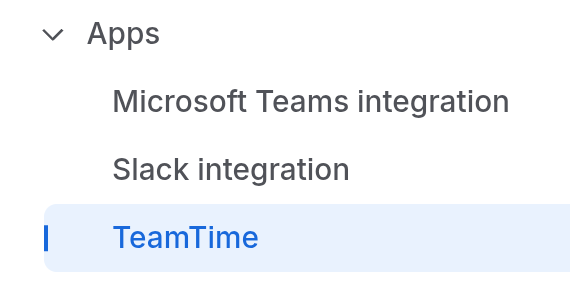
Head over to Space settings, and locate Apps → TeamTime in the bottom of the left-hand sidebar:
In TeamTime’s settings, head over to Recalculation tab:
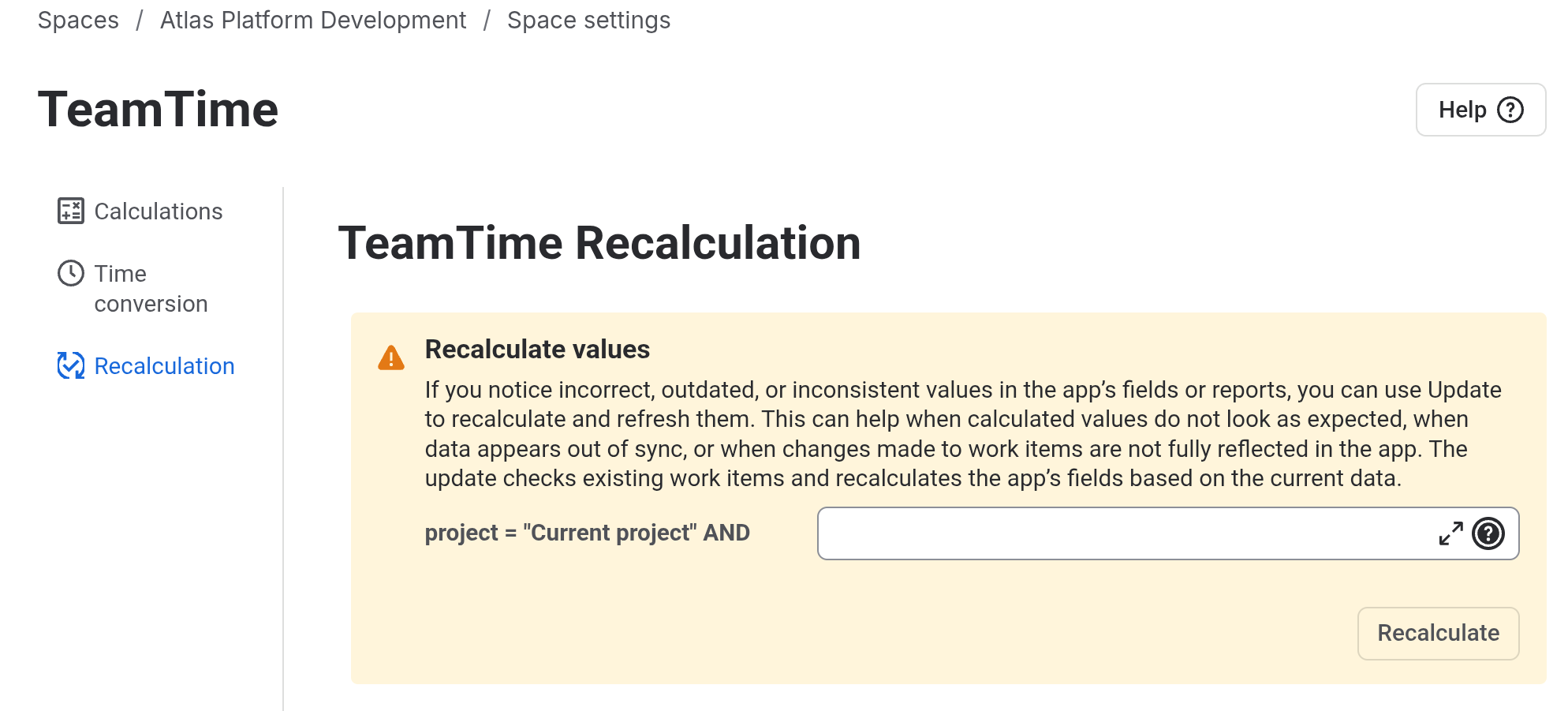
On this page, you will find the explanation to why Recalculation might be needed, and a JQL field: you can add any additional condition to specify your recalculation target within this space.
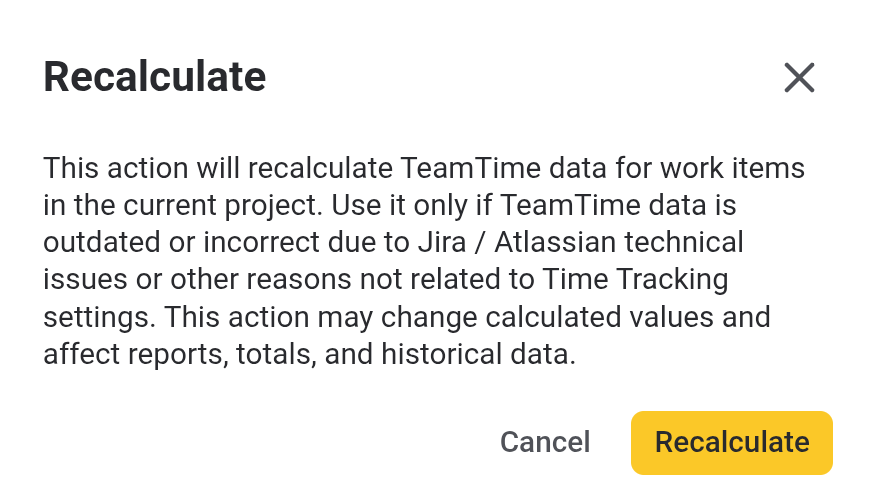
It is best to use Recalculation feature for all work items belonging to the space if any mismatch is found, although it will take more time. Click Recalculate button, and confirm the action in the pop-up window appearing on your screen:
Once Recalculation is complete, your metrics mismatch should be resolved.
Following version updates, temporary data sync delays may occasionally occur between Jira’s native field data and TeamTime calculations. While our team works to ensure smooth, seamless updates, the Recalculation tool allows you to manually re-sync and align metrics whenever calculation discrepancies arise.
Note: Permission Requirements Recalculations can only be performed by Space Administrators or users explicitly granted Recalculation Space Permissions. Learn more from our Space permissions page.
How to Recalculate Metrics
-
Go to your project's Space settings, scroll down the left-hand sidebar to the Apps section, and select TeamTime.
-
Select the Recalculation tab within the TeamTime settings menu.
-
Use the provided JQL field to define specific query conditions if you wish to target a subset of work items within the space.
Best Practice: If you notice general calculation mismatches, we recommend running the recalculation across all work items in the space without additional JQL filters. Although a full-space run takes longer to process, it guarantees complete data accuracy across your reports.
-
Run and Confirm: Click Recalculate, then confirm the operation in the modal pop-up window.
Once the recalculation process completes, all TeamTime metrics and data grid values within the space will be fully synchronized.